GET 10% OFF YOUR FIRST ORDER.
Sign up to our newsletter for the latest news, exclusive offers, and a 10% discount code for your first order.
**Accessories and coupons are excluded. By signing up, you agree to our Privacy Policy and T&Cs.
MopExtend Technology
Flexes Streches from Edge to Edge
Auto Robot Care and Maintenance
Auto.Smart.Worry-Free
7,000Pa Vormax™ Suction
Powerful Pick-up Along the Edges
DuoScrub™ Mopping System
Mighty Mopping Power
Smart Carpet Cleaning Strategy
Proper Care for Your Carpet
136℉ Hot Water
Mop Self-Cleaning
Deep Cleans the Mop
Pathfinder™ Technology
Accurate Mobility
Advanted MopWxtend Technology
Gets into Hard-to Reach Spots
Tackles Wet Messes with Powerful Mopping
The DuoScrub™ Mopping System utilizes rotary and pressurized scrubbing to remove dirt from sticky floors, keeping mess at bay.
Floating Rubber Brush Lift Dirt with a Floating Rubber Brush
Our floating rubber brush prevents hair from clogging
the vacuum while cleaning on multiple surfaces. It efficiently
picks up embedded dust on every surface, from hardwood
and tiles to carpets and rugs.
Advanted MopExtend Technology
Moves Towards the Grain
Protect your floor from scratches by setting a flooring direction, allowing the robot to move with the grain, not against it.
Optimized Dust Collection
Set up dust collection frequency tailored to different home environments.
Set Up No-Go Zones
Create no-go zones for vacuuming or mopping up your home, preventing the robot from getting stuck in the trickiest areas in the house, like your dog's food, cables, or toys.
Personalized Cleaning at Your Fingertips
Worry less, personalize more with the Dreamehome App.
Convenient Voice Control
Say a word to start or stop cleaning. Guide your vacuum through your
home with handy voice assistants.
Tune Out While We Clean
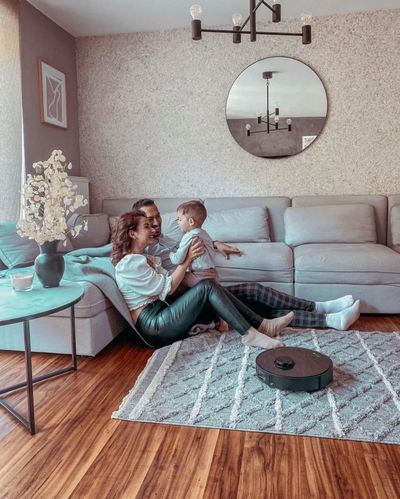
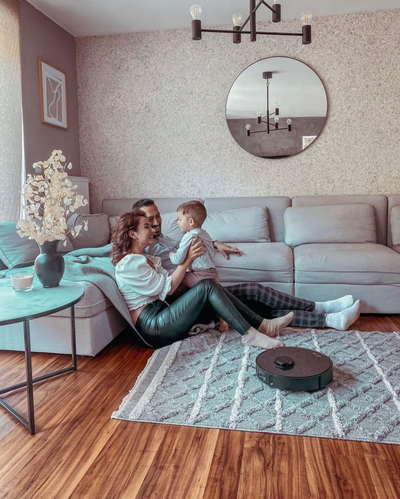
Get fast and reliable vacuuming while lying down on the sofa. Enjoy the convenience of automated cleaning with a powerful Noise Reduction system.
Proper Care for Your Carpet
Protects your carpets from getting wet with 10.5mm mop lifting*.
Sees More. Detects Better.
Choose how to clean your home's carpet in the Dreamehome App. Thanks to Ultrasonic Carpet Recognition, L10s Pro Ultra PureHeat identifies and avoids carpets*.
Carpet Suction Boost
Experience swift and efficient cleaning with Carpet Boost*, which enhances suction power for an instant vacuuming upgrade.
Cleans Your Carpets Twice
Opt for Intensive Carpet Cleaning care, featuring a thorough double sweep* at a reduced speed, retaining your rug's youthful appearance.
*10.5mm mop lifting: The height difference of the robot vacuum is 10.5mm before and after mop lifting. For carpets with piles longer than 3mm, we suggest you set the robot to avoid medium and high-pile carpets via the Dreamehome App (only in intelligent cleaning of carpet mode) and protect your carpets from getting wet.
*Avoids the carpets: Only in intelligent cleaning of carpet mode.
*Carpet boost: Only in intelligent cleaning of carpet mode.
*Double sweep: Only in intensive carpet cleaning mode.
| Vacuum Only | Mop Only | Vacuum and Mop | Vacuum then Mop (lifts only when sweeping) | Recharging | Carpet Cleaning | Mop Drying | |
| Mop Lifting |
Mop Lifting
Vacuum Only
Mop Only
Vacuum and Mop
Vacuum then Mop (lifts only when sweeping)
Recharging
Carpet Cleaning
Mop Drying
L10s Pro Ultra Heat VS L10s Ultra
Buy now
L10s Pro Ultra Heat
Buy now
L10s Ultra
Mop Extend
√
×
Mop Lifting
Up to 10.5mm
Up to 7mm
Mops Type
Dual Rotary Mops
Dual Rotary Mops
Maximum Suction
7,000Pa
5,300Pa
Dust Bag Capacity
3.2L
3.0L
Auto-Empty for Hands-Free Use
Up to 75 Days
Up to 60 Days
Clean/Used Water Tank Capacity
4.5L/4L
3L/2.5L
Main Brush Type
Rubber Brush (Floating)
Automatic Mop Drying
√
√
All Dreams in One Dreame
Why does my robot sometimes miss vacuuming or mopping near furniture legs?
We recommend switching to Ultimate Cleaning Mode within the app to enhance the cleaning performance around furniture legs such as tables and sofas. This mode concentrates on detailed areas, ensuring more thorough coverage.
Tight clusters (chair legs, table bases) can limit the robot’s angle of approach. Switch to Ultimate Cleaning Mode in the app to add extra passes and slower detailing, which improves pickup around legs and baseboards.
Quick wins:
· Run a Room/Zoned clean just under the dining table.
· If your model supports Edge Detail / MopExtend™, turn it on for better corner/leg coverage.
· Space chairs slightly or slide them in to open a clear path.
Tight clusters (chair legs, table bases) can limit the robot’s angle of approach. Switch to Ultimate Cleaning Mode in the app to add extra passes and slower detailing, which improves pickup around legs and baseboards.
Quick wins:
· Run a Room/Zoned clean just under the dining table.
· If your model supports Edge Detail / MopExtend™, turn it on for better corner/leg coverage.
· Space chairs slightly or slide them in to open a clear path.
What should I do if my robot struggles with thresholds?
For obstacles under 2cm, please enable the Threshold function in the app or utilize a climbing pad to facilitate your robot's movement. Should the obstacle exceed 2cm, manual intervention may be necessary to assist your robot.
For obstacles ≤ 2 cm (≈0.8 in), enable Threshold/Climb Boost in the app and approach at a straight angle. A low-profile ramp/climbing pad can also help with tricky tracks or door bars.
If the obstacle is > 2 cm, occasional manual assist may be needed.
Pro tip: Place the dock on the same side as the highest threshold, or split cleaning into per-room schedules to avoid repeated crossings.
For obstacles ≤ 2 cm (≈0.8 in), enable Threshold/Climb Boost in the app and approach at a straight angle. A low-profile ramp/climbing pad can also help with tricky tracks or door bars.
If the obstacle is > 2 cm, occasional manual assist may be needed.
Pro tip: Place the dock on the same side as the highest threshold, or split cleaning into per-room schedules to avoid repeated crossings.
How do I adjust the cleaning frequency or modes for my robot?
You have the ability to tailor the cleaning frequency through the app by choosing between Standard, High Frequency, or Low Frequency modes. For a more intensive clean, we suggest selecting Ultimate Cleaning Mode.
Choose your routine in the app: Low, Standard, or High Frequency for how often each room is cleaned. When you want a deeper reset, choose Ultimate Cleaning Mode for slower passes, stronger suction, and more thorough mopping.
Smart Door Lock
Indoor Camera
Australia
中国大陆
日本
Türkiye
Italia
Netherlands
Belgium
Greece
Polska
Norway
Sweden
Finland
Denmark
Hungary
Czechia
Slovenia
Croatia
Switzerland
United Kingdom
Belarus
Georgia
Canada
Colombia