Latest insights

Dreame H15 Pro Heat vs H15 Pro CarpetFlex: Which Wet & Dry Vacuum Should...

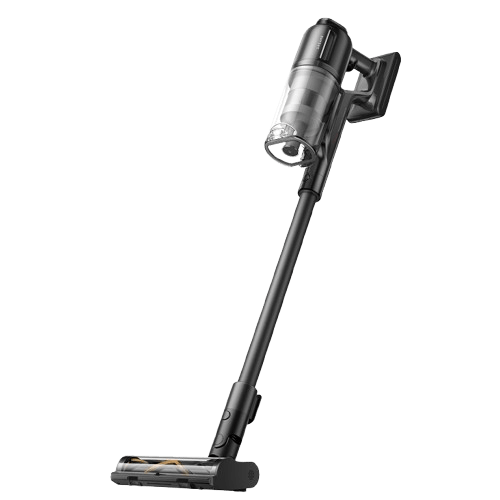
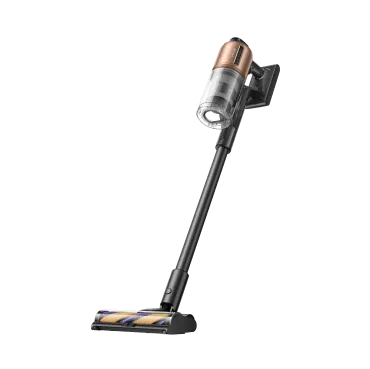
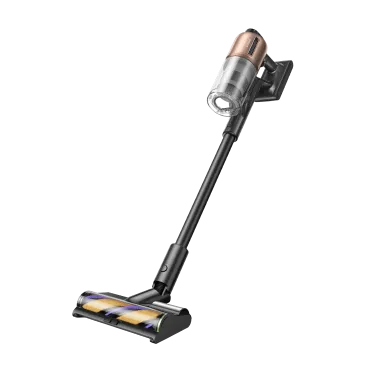
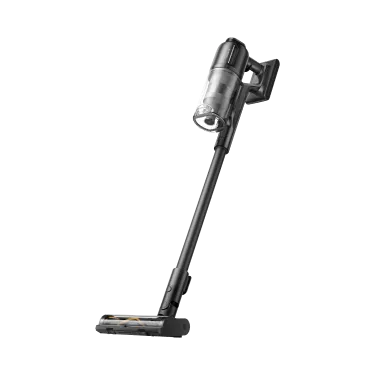
Choosing between H15 Pro Heat and H15 Pro CarpetFlex comes down to your floors, your messes, and how hands-off you want cleanup to be. This quick guide frames the differences in plain English so you can pick with confidence. Quick answer (TL;DR): Pick H15 Pro Heat if your home is mostly hard floors and you want the fastest deep clean with real hot‑water floor washing, gap‑free edge cleaning, and the most automated self‑clean/dry routine. It’s a “showpiece” hard‑floor washer with advanced edge tech and app‑assisted under‑furniture navigation. Pick H15 Pro CarpetFlex if you live with both hard floors and rugs and want one device to handle wet hard‑floor messes and dry vacuuming on carpets (thanks to a dedicated Carpet Brush) plus MistLock dust suppression for allergy‑friendly cleanup. It’s the do‑everything choice for mixed flooring.  Specs at a glance If you only have a minute, this table shows the big levers: runtime, brush systems, edge tech, and cleaning temps. So you can match the model to your home. All performance figures are from Dreame in‑house/third‑party labs; actual results vary by home and usage. Feature H15 Pro Heat H15 Pro CarpetFlex Floor types Hard floors focus Hard floors (wet/dry) + carpets (dry) Suction (rated) 22,000Pa 23,000Pa Runtime (max) Up to 72 min Up to 60 min Standout cleaning tech 185°F (85°C) hot‑water floor washing (approx. 131°F / 55 °C at floor)GapFree™ AI robotic arm for triple‑edge cleaning Dual Brush System (Hard Floor + Carpet)MistLock dust suppression Self‑cleaning ThermoTub™ 212°F (100°C) immersive brush wash; AI‑tuned cycles Up to 212°F (100°C) self‑clean (Hard Floor Brush hot‑wash / Carpet Brush cold‑wash) Drying 5 min 194 °F (90°C) super‑speed or 30 min 85 °C sealed drying; AI re‑dry Up to 194°F (90°C) full‑path hot‑air drying;~5 min quick‑dry (Hard Floor Brush) / ~20 min deep‑dry (Carpet Brush) Edge cleaning Yes Yes Under‑furniture 180° lie‑flat 180° lie‑flat Tanks 0.23 gal clean /0.17 gal used880 ml clean / 650 ml used 0.20 gal clean /0.18 gal used780 ml clean / 700 ml used Hair management TangleCut™ resilient scraper, validated tangle‑free in lab tests TangleCut™ 2.0 (15% denser comb teeth) Sensors/UI RGB dirt detection; Dreamehome app; GlideWheel™ power assist RGB dirt detection; LED + voice prompts; GlideWheel 2.0 assist Cleaning performance Let's look at how each vacuum behaves with everyday debris, sticky spills, and those ‘why is this still here?’ spots. We focus on speed to clean, residue left behind, and how finished your floors look after one pass. On hard floors (wet & dry) H15 Pro Heat: If sticky spills and kitchen grease are your pain points, Heat is the standout. It rinses the roller with 185°F (85°C)  hot water to wash floors at about 131°F (55 °C), dissolving oily messes fast. Its GapFree™ AI robotic arm drops at the front to close the typical “dry strip,” enabling triple‑edge cleaning (front + both sides) and leaving nearly zero water stains in push‑pull passes under lab conditions. If you’ve ever chased wet lines along baseboards, this front‑edge tool is a real upgrade. H15 Pro CarpetFlex: CarpetFlex focuses on consistency and clean air. Its Hard Floor Brush continuously rinses at 480 RPM while suction removes dirty water immediately; MistLock lightly mists dust so it becomes damp waste instead of a cloud—handy for allergy‑sensitive homes. You don’t get Heat’s front robotic arm, so you’ll use slow parallel passes for edges, but everyday spills (juice, yogurt) and tracked‑in dirt are handled efficiently. Verdict for hard floors: Choose Heat for the fastest deep clean on sticky/greasy messes and the best front‑edge pickup; choose CarpetFlex if you value cleaner air during use/emptying and don’t need the robotic arm. On carpets & rugs (dry vacuuming) If rugs are part of your daily route, this section explains how both machines handle fibers, hair, and grit—and when a dedicated carpet brush truly makes a difference. H15 Pro Heat: Optimized for hard floors. It brings strong suction (22,000Pa) and hair‑cutting hardware, but it does not include a dedicated carpet brush. If rugs are occasional, Heat can spot‑vacuum; if rugs are routine, see CarpetFlex. H15 Pro CarpetFlex: Purpose‑built for mixed homes. You can swap to the Carpet Brush to lift grit from fibers, and TangleCut™ 2.0 brush helps prevent wrap. With 23,000Pa suction and a brush made for rugs, it’s the safer bet for regular carpet care. Verdict for carpets: If you want one machine for hard floors and rugs, CarpetFlex is the clear pick.  Hair & pet messes H15 Pro Heat: 0 tangles across hair tests, minimizing hands‑on detangling. H15 Pro CarpetFlex: 15% denser comb teeth for better hair cutting—including dense pet fur. If you’re a multi‑pet household with rugs, the Carpet Brush + TangleCut 2.0 combo is very compelling.  Edge cleaning & corners Edges are where most washers leave a dry strip. See how Heat’s robotic front arm compares with CarpetFlex’s careful, parallel edge passes. H15 Pro Heat: The DescendReach robotic arm presses down on pull‑back to wipe up residual water. In our tests, it showed near‑zero water stains compared with typical dual‑edge heads. If you care about baseboards and toe‑kicks looking bone‑dry right away, this is a meaningful difference.  H15 Pro CarpetFlex: A strong standard head, but no robotic arm. Edges are best handled with controlled, parallel passes.  Maneuverability & under‑furniture reach A vacuum you have to wrestle with won’t get used. Here’s how they steer, lie flat under low furniture, and feel in the hand over long sessions. H15 Pro Heat: GlideWheel™ power system does more than assist; it can lead the motion and even help the machine stand after shut‑off. Lay it 180° flat and, uniquely, you can drive it via the Dreamehome app to clean under low furniture (down to ~1.18in / 13 cm body; 3.5in / 8.9 cm head clearance). It’s a clever “hands‑off” trick for tight spaces.  H15 Pro CarpetFlex: Also lies 180° flat, and GlideWheel 2.0 keeps pushes/pulls light. There’s no app‑driving under furniture, but steering and day‑to‑day handling are much easier.  Hygiene, self‑cleaning & drying H15 Pro Heat: Drying is sealed and hot, you can pick 5 min at 194°F (90°C) (quick) or ~30 min at 185°F (85°C) (default), and the system will auto re‑dry if humidity dampens the brush in standby. Heat can also electrolyze water to generate disinfectant during cleaning (lab‑validated effects on common microbes/viruses under test conditions). Drying noise is kept comfortable (lab‑rated ~63 dBA). This is the most “set‑and‑forget” maintenance package here.  H15 Pro CarpetFlex: One‑button self‑clean with up to 212 °F (100°C) hot‑wash (Hard Floor Brush) and full‑path hot‑air drying up to 194 °F (90°C) for brush, pipes, and filter. Expect ~5 min quick‑dry for the Hard Floor Brush and ~20 min thorough dry for the Carpet Brush. Simple, fast, and quiet—keeps odors down and parts ready for the next session.  Runtime, tanks & noise Runtime: Heat is rated up to 72 min; CarpetFlex up to 60 min (with ~3 h fast charging). In practice, heavy wet passes or Max mode shorten runtime on either model. Coverage & capacity: CarpetFlex notes up to ~3,229 ft² (300m²) on a charge in light/Auto use, with 0.20 gal clean /0.18 gal used (780 ml / 700 ml) tanks that reduce refills, while Heat features 0.23 gal clean /0.17 gal used (800 ml / 650 ml) water tanks  Noise: Both moderate during cleaning; Heat’s sealed drying targets comfort levels during the post‑clean cycle.  Which one should you buy? Choose H15 Pro Heat if you: Have mostly hard floors and want the best finish along front edges/baseboards with near‑zero water streaks. Regularly face oil/grease and sticky messes and value hot‑water floor washing that breaks them down faster. Want the least maintenance fuss: immersive self‑wash, 5–30 min hot‑air drying, and smart re‑dry in humid climates. Love the idea of app‑assisted, lie‑flat cleaning under low furniture.  Choose H15 Pro CarpetFlex if you: Live with hard floors + rugs and need one machine for wet hard‑floor cleaning and dry carpet vacuuming (dedicated Carpet Brush). Prefer cleaner air while you clean/empty—MistLock turns dust into damp waste to minimize airborne particles. Want strong overall suction and friendly upkeep with self‑clean and full‑path drying.  Need clear guidance: LED + voice prompts, RGB dirt detection, and GlideWheel 2.0 for an easy push/pull feel.  Read our review of the Dreame H15 Pro CarpetFlex to discover if this wet-dry vacuum is the right choice for you.  FAQ Will H15 Pro Heat work on rugs? Heat is optimized for hard floors; it doesn’t include a dedicated Carpet Brush. For regular rug cleaning, CarpetFlex is the better match. Which is better for allergies—Heat or CarpetFlex? CarpetFlex includes MistLock Dust Control, which mists fine dust so it sinks into the waste stream instead of the air—useful for allergy‑sensitive homes. Do both models self‑clean and dry the brush? Yes. Heat uses ThermoTub™ 100 °C immersive wash with 90 °C/85 °C sealed drying (as quick as 5 min), plus smart re‑dry. CarpetFlex runs up to 212 °F hot‑wash (Hard Floor Brush) and up to 194 °F hot‑air full‑path drying with quick/thorough options. Edge cleaning: is the robotic arm worth it? If you notice a stubborn front gap with typical heads, Heat’s GapFree™ arm can make edges/baseboards look finished in one pass and reduce water streaks—great for kitchens and entryways.  How about hair from pets or long-haired family members? Both cut hair as they clean. Heat’s TangleCut™ scraper is lab‑validated for 0 tangles; CarpetFlex’s TangleCut™ 2.0 has denser comb teeth for heavy‑shedding homes—especially effective when using the Carpet Brush on rugs. Bottom line Hard‑floor perfectionist? Go H15 Pro Heat for hot‑water washing, robotic front‑edge cleaning, and the most automated hygiene routine.  Mixed floors with rugs? Go H15 Pro CarpetFlex for the Carpet Brush, MistLock, and balanced, whole‑home versatility.  How we tested We evaluate pick‑up on wet spills and dried stains, dry debris on wood/tile and rugs, edge pickup near baseboards, hair wrap on the brush, runtime by mode, and maintenance time (self‑clean + drying). We verify sensor behavior (RGB dirt detection) and note maneuverability (push/pull effort, under‑furniture reach). Specs and feature claims referenced here come from Dreame’s lab documentation.
Read full article: Dreame H15 Pro Heat vs H15 Pro CarpetFlex: Which Wet & Dry Vacuum Should You Buy?

Wet and Dry Vacuum Cleaner for Carpets: How to Choose and Use

Carpets are cozy, stylish, and perfect for making a house feel like home. But while carpets add comfort, they also trap dirt, dust, and liquids in ways that hard floors don’t. A quick pass with a regular vacuum may lift surface dust, but spills, sticky messes, and moisture sink deeper into carpet fibers. That’s where a wet and dry vacuum for carpet comes in. Unlike a regular vacuum, which only handles dry dirt and dust, a wet and dry vacuum cleaner tackles spills, stains, and moisture head-on without the drama. In this guide, we’ll explain how wet and dry vacuums work on carpets, how to choose the right one, and step-by-step tips for using them so you can keep carpets cleaner without the stress. Is a Wet and Dry Vacuum Good for Carpets? The short answer: yes. Wet and dry vacuums are ideal for everyday spills, especially in homes with kids or pets. However, they aren’t a magic solution for every carpet problem. They remove surface moisture, debris, and light stains, but they don't replace professional deep cleaning or the kind of regular care outlined in our guide on How to Vacuum Your Carpet Effectively. According to the Institute of Inspection, Cleaning and Restoration Certification (IICRC), carpets with set-in stains, odors, or contamination from flooding need specialized treatment. So, a wet and dry vacuum is a powerful helper for maintenance and emergencies, but not a substitute for deep fiber rinsing. Make Sure the Wet/Dry Vacuum Is Compatible with Your Carpet Not all wet and dry vacuums suit every carpet. Pile thickness, material, and density affect performance, and the wrong vacuum can damage delicate fibers. Types of Carpets and How Wet/Dry Vacuums Work on Them Low-pile carpets and rugs (<1/4"): Perfect match. These carpets are easy to vacuum with a wet and dry machine, as liquids and debris don’t get buried too deep. Medium-pile carpets (1/4"–1/2"): A balanced choice. They need suction power in the 8,000–22,000 Pa range and a brush that’s designed for carpets. Too much pull can seal the vacuum head onto the fibers, making it hard to move and less effective. A vacuum with an adjustable brush head makes the job smoother and protects the pile. High-pile or shag carpets (>1/2"): More challenging. Look for airflow of at least 22,000–25,000 Pa and flexible heads that can reach into longer fibers without tangling. A cordless upright may struggle here; a high-performance wet and dry model is the safer bet. Carpet Type Thickness Recommended Suction/Airflow Low-pile  < 1/4" ~8,000 Pa or higher Medium-pile  1/4" – 1/2" 8,000–22,000 Pa High-pile > 1/2" 22,000–25,000+ Pa airflow Carpet material also makes a difference. Wool and nylon carpets are durable but can trap moisture more deeply, making strong suction valuable. Cotton blends absorb liquids quickly but dry slower, so fast extraction helps. Synthetic fibers like polyester or olefin are easier to clean, as they resist stains and don’t hold onto moisture as long. Dreame Take We developed the H15 Pro CarpetFlex with two intelligent brush heads, including one designed specifically for carpets. This prevents suction loss on thicker piles and makes vacuuming smoother and more efficient. What Wet/Dry Vacuums Are Not For Stubborn, set-in stains: You’ll need chemical rinses or professional-grade carpet extractors. Odor removal: Wet and dry vacuums don’t deodorize. Large-scale water damage: If your carpet has been soaked in floodwater, call professionals certified by the IICRC. How to Use a Wet/Dry Vacuum Cleaner for Carpet Once you’ve got the right wet and dry vacuum for carpet, using it correctly makes all the difference. Here’s a practical step-by-step guide: Step 1: Prep the Area Clear small furniture and objects. Make sure the carpet is dry; treat any liquid spills off-carpet and allow fibers to dry before vacuuming. Step 2: Attach the Carpet-Specific Brush This is crucial. Ensure you’ve switched from the hard floor brush to the dedicated carpet brush. The right brush protects your carpet and maximizes cleaning efficiency. Step 3: Select Dry/Carpet Mode & Set Suction Use Dry/Carpet Mode (not Wet Mode) and adjust suction so the head glides without sealing. Some Dreame models, such as H15 Pro CarpetFlex, can auto-detect the brush type and adjust the working mode accordingly. Step 4: Work in Sections Don’t rush. Move slowly across the carpet in overlapping passes. For larger carpets, divide the space into quadrants. Step 5: Tackle Hair and Edges Use the edge/crevice tool around baseboards. Anti-tangle tech (e.g., TangleCut™ 2.0) reduces hair wrapping on the brush. Step 6: Post-Clean Care Empty and rinse the dirty tank after each session. A wide-mouth tank design makes this process much easier. Remove any hair from the brush and check pathways. [product handle="h15-pro-carpetflex-wet-dry-vacuum" rating="4.7"] Pro-tip For spills, treat and dry the carpet first—never vacuum it wet. Once dry, use your carpet brush in Dry Mode to remove embedded dust and dirt. For broader upkeep, our blog on Carpet Cleaning Solutions: What to Use and How to Use It in 2025 is a helpful companion. For wet messes, switch to the hard-floor brush and turn Wet Mode off on the carpet. Do not use Wet Mode on carpet. Blot excess moisture if needed, then let the vacuum do its job. Open windows or set up fans to help the area dry faster. Dos and Don’ts of Vacuuming Carpets with a Wet/Dry Vacuum Do: Use the carpet brush and Dry/Carpet Mode on rugs and carpets. Adjust suction/height so the head doesn’t seal to the pile. Make slow, overlapping passes; repeat on traffic lanes. Empty the bin and clean the brush roll after each use. Don’t: Don’t use Wet Mode on carpet or attempt to extract liquid from carpet with a vacuum. Don’t use the hard-floor brush on carpet. Don’t vacuum while fibers are damp; let spills dry first. Don’t ignore care labels (e.g., wool) or vacuum large objects/liquids. What to Look for in a Wet/Dry Vacuum If You Have Carpets Shopping for the best wet and dry vacuum cleaner for carpet can be overwhelming. Use this checklist to narrow your choices: Carpet compatibility: Make sure the vacuum is truly designed for carpets and not just hard floors. If multi-surface cleaning is important, choose a model that can adapt suction and brush settings between floor types. Brush design & anti-tangling: Dedicated carpet brushes or motorized brush rolls help agitate fibers effectively. Features like Dreame’s TangleCut™ 2.0 prevent hair wrapping, saving time on maintenance. Suction power and airflow: Strong suction (for example, around 18,000–24,000 Pa) is vital for pulling dust, dirt, and moisture out of the pile. Look for a sealed system that maintains power. Tank hygiene: A wide-mouth, easy-to-clean tank is a must. Models with self-cleaning and self-drying functions, like the Dreame H14 Pro, add convenience. Dust control: If anyone in your home has allergies, look for sealed HEPA filtration systems that trap dust before it becomes airborne. Advanced systems like the H15 Pro CarpetFlex’s MistLock Dust Control add another layer of protection by locking in fine particles and reducing dust escape when emptying the tank. Maneuverability: Check the weight and wheel design. A swivel head and low-friction wheels make cleaning less of a workout. The SmoothGlide system in H15 Pro CarpetFlex adapts the wheels for easy push and pull on various surfaces.  Runtime and power: Cordless units should provide at least 30–40 minutes of runtime; corded ones need a generous cord length. The H15 Pro CarpetFlex runs up to 60 minutes in Quiet Mode and about 40 minutes in Smart Mode, giving plenty of time to handle medium- to large-size homes. Smart guidance UI: Models that offer dirt detection and tank indicators make cleaning more intuitive. When a Wet/Dry Vacuum Isn’t Enough Sometimes you’ll need more than a wet and dry vacuum cleaner for carpet. If your carpet smells musty, has old stains, or has been exposed to dirty water, a wet and dry vacuum alone won’t cut it. In these cases, you’ll need: A carpet extractor for deep chemical rinsing. Professional cleaning services, especially for large contaminated areas. Conclusion A wet and dry vacuum for carpet is more than just a tool—it’s peace of mind, saving time, protecting your carpet, and keeping your home fresher. Look for features like carpet brushes, strong suction, and easy tank cleaning. Dreame’s H15 Pro CarpetFlex is purpose-built with carpets in mind, bringing a flexible brush design and powerful suction that make everyday cleaning effortless. Other models like the H15 Pro Heat and H14 Pro also offer excellent wet and dry cleaning performance. You can pair any of these with Dreame’s robot vacuums, such as the X50 Ultra or L40s Ultra, for a complete system that keeps every corner of your home spotless. For more tips on extending carpet life, check out Carpet Care Tips: 7 Cleaning Hacks You Should Know. FAQs Q: Can you use a regular vacuum for wet carpet? A: No. Standard vacuums aren’t built to handle liquids and can short-circuit or be damaged. Q: Is there a vacuum and carpet cleaner in one? A: Yes, some 2-in-1 models exist, but they don’t replace deep rinsing. For thorough results, use a carpet extractor. Q: What is the best wet/dry vacuum cleaner for carpet? A: The Dreame H15 Pro CarpetFlex offers versatile performance for a variety of cleaning needs, while the H15 Pro Heat provides faster drying for added convenience.
Read full article: Wet and Dry Vacuum Cleaner for Carpets: How to Choose and Use

Dreame L50 Ultra Review – 2025

If you’ve ever watched a robot vacuum stop at a door track, wobble on a lip, or smear a damp pad across a rug, the Dreame L50 Ultra feels like a new class. It pairs powerful suction with a tangle-resistant HyperStream™ Detangling DuoBrush, an all-in-1 PowerDock™ that hot-washes mops, and a wild party trick: ProLeap™ retractable legs that let the bot step onto real-world thresholds with single and two-step vertical steps. Add deep corner reach, TripleUp Tech (mop/main/side brush lifting), and AI + 3D structured-light avoidance with pet-centric modes, and you’re looking at a flag-plant for premium robot design Who it’s for: Busy homes that want true hands-off vacuuming and mopping across mixed floors, steps/thresholds, and pet zones. Why it stands out: Class-leading step-over ability, 19,500 Pa suction, DuoBrush hair handling, 167°F ( 75°C) mop wash, and smart obstacle & pet care, all orchestrated in the Dreamehome app and voice support. Cleaning Performance The L50 Ultra couples very high airflow with a dual-roller system that keeps contact with the floor, channels debris efficiently, and resists hair wraps. It then leverages OmniDirt™ 2.0 to adapt its pattern (including large-particle boost for cat litter/pet food). Feature L50 Ultra Dust Box Capacity 0.10 gal / 395ml Water Tank Capacity 0.02 gal / 80ml Maximum Suction up to 19,500Pa Dirt Detection √ AI Dirt Recognition √ Results on different surfaces On hard floors it excels in one-pass pickup; on rugs, mop lift and carpet intensification reduce re-runs. Edge and corner finish is visibly improved by SideReach™ and MopExtend™. Hard floors (tile/wood/laminate): This robot vacuum lifts dust from grout and gaps while minimizing scatter; MopExtend™ twists the mop up to 1.57in / 4cm under toe-kicks to pull haze from along kickboards. Side brush can extend and lift ~ 0.39 in/ 10 mm to avoid contaminating just-mopped sections. Carpet&rugs: Whenever L50 Ultra detects a carpet, it boosts suction; you can also set Intensive Carpet Cleaning for a slower double pass. The mop lifts ~ 0.41in / 10.5mm for short-pile; for long-pile you can remove the mops (exclusive to Dreame within its line) or avoid via map. Edge/corner cleaning: The latest technologies like SideReach™ and MopExtend™’s RoboSwing easily handle messes along the edges and irregular corners. L50 Ultra twists and delves deeper into corners and nooks as far as 1.6in / 4cm, further cleaning hidden debris under your low-profile couch. It’s noticeably better around baseboards, legs, and under built-ins than fixed-width pads. Surface Cleaning Mode Brush/Attachment Result Hard floors Auto / Standard DuoBrush + SideReach™ One-pass pickup; better grout/edge finish Short-pile carpet Auto + Carpet Boost DuoBrush (TPU + bristled) Strong dirt lift Mixed debris (litter/food) Large-Particles Boost 2.0 DuoBrush Large particles fully removed and floor looks clear, without scatter left behind Edges & corners MopExtend™ RoboSwing Extendable pad + side brush Pad reaches deep into recesses Brushes & attachments If you’ve ever had to cut long hair out of rollers weekly, the main HyperStream™ Detangling DuoBrush eliminates that chore almost entirely. The optimized air duct flings hair into airflow and resists wrap across the full roller—validated for 100% hair detangling (lab/TÜV SÜD). Low noise design avoids the harsh chatter typical of dual-rubber setups. L50 Ultra comes with some additional brushes and filters for more thorough cleaning and a gentler surface treatment. Feature L50 Ultra Main Brush Type HyperStream™ Detangling DuoBrush Brush Lifting √ Liftable Side Brush √ Extendable Side Brush √ Anti-Tangle Side Brush √ Mop Lifting √ Mop Extend √ Mop Removal √ What's New: Advanced Obstacle Crossing L50 Ultra doesn’t just avoid stuff, it’s one of the few robo vacs (and the first one in the L series) that lets you choose how it crosses obstacles so it fits your home, not the other way around. There are two crossing syles: ProLeap™ (Simultaneous Crossing): Both clearance legs step at the same time for a confident, fast climb. You get maximum stability and speed over common transitions. Best for: doorway thresholds and single steps. Capability: up to 1.65 in / 42mm single vertical steps; up to 2.36 in / 60 mm double-layer thresholds (0.71 in + 1.65 in). Hurdle-style (Sequential Crossing): Legs step one after the other for a gentler, more precise pass. This reduces rocking and improves grip on uneven, thin, or delicate obstacles. Best for:sliding door tracks and narrow rails where careful footing matters Pro-tip If your home mixes thick thresholds and track rails, start with ProLeap™ for whole-home cleans, then switch to Hurdle-style for rooms with sliding doors. Navigation & Mapping The L50 Ultra layers AI with 3D structured-light depth sensing to recognize and avoid common hazards (cables, socks, bowls, toys, modeled pet waste). In dim spaces, the system uses on-board illumination to see better. Multi-obstacle “No-Go” and No-Mop zoning is standard. Feature L50 Ultra Navigation LDS Obstacle Avoidance AI + 3D Structured Light Smart Recognition RGB Obstacle Crossing Height 2.36in / 6cm (Two Steps) 1.65in / 4cm (Single Step) Pro-tip Try Curtain Zones in the app if you’ve got kids who nap—set a no-go around their playpen or crib area so the bot avoids disturbing them. Pet-Finding Mode & Remote Monitoring You can now use a Pet-Finding Mode while you’re at work to check in. Lots of owners report it doubles as an impromptu pet cam, saving them from buying a separate one. Just press a button in the Dreamehome app and your robot will search, snap a photo when it finds them, and send it straight to you—no manual driving required. With real-time video calls and two-way voice chat so you can stay connected, comfort, or even playfully “talk” with your pet while you’re away. Dynamic Spot-Cleaning for People & Pets This robot vacuum smartly recognizes pets and people, steering clear to keep them safe. If it misses an area, it automatically marks it in the map, then returns to finish the job, so you get more complete coverage with zero extra effort. Dreame Take Cat parents will notice fewer stray kibbles left behind. OmniDirt™’s large-particle boost really does grab the food bits that other vacuums just push around. Maintenance & Docking Look at the PowerDock™ as the hygiene hub: Auto-empty: 0.85gal / 3.2L dust bag for up to 3 months between swaps. Mop self-cleaning: 167°F / 75°C hot-water wash with four heat levels; hot-air drying helps prevent mildew/odor. Washboard Auto Cleaning:  Mop funk won't be an issue. The hot wash + AceClean™ DryBoard combo means no sour smell even after a weekend trip, unlike other bots where you come home to a swampy dock. 20 spray nozzles flush the washboard; the integrated design leaves minimal residue and is easy to wipe. Mop pad stain removal up to 99.9%. Auto-refills: The dock carries 1.19 gal / 4.5 L clean and 1.06 gal / 4.0 L used-water tanks for longer runs. Add the Water Hookup Kit to enable automatic refilling and draining. The dock also auto-refills a cleaning solution and uses a built-in scale inhibitor to curb limescale, so you get consistent cleaning with less maintenance. Feature L50 Ultra Clean/Used Water Tank Capacity 1.19gal / 1.06gal 4.5L / 4.0L AI Dirt Recognition √ Mop Hot Air Drying √ Mop Hot Water Washing √   75°C (167℉) Washboard Auto Cleaning √   AceClean™ DryBoard Auto Water Refilling √ Automatic Solution Adding √ Why this matters: The dock’s heat, airflow, and board design directly attack mop funk, while liftable brushes reduce cross-contamination (e.g., no dragging a wet side brushes onto dry floors). Noise Levels In practice, L50 Ultra sits around conversational levels, and auto-empty remains the only brief loud event. This model reduces noise through improved suction, motor, drive wheel, dust collection, mop washing, and drying processes. Battery Life & Efficiency Expect over 3 and a half hours on a single charge. Exact runtime depends on you floor mix, suction mode, and how often it stops to wash/dry pads. A 6,400 mAh pack (larger than the common 5,200 mAh class) fuels long mixed-mode runs with ~30% faster charging than prior Dreame robots without fast charge. Combined with dirt-aware routing and recharge-and-resume, the L50 Ultra is designed to finish large floor plans without babysitting. Price & Value The L50 Ultra has an MSRP of $1,599.99. By the end of 2025, you can often find a good deal that helps you save up to 30% of the original price. If you’ve owned a mid-tier robot vacuum before, you know the “hidden costs” are manual mop rinsing and frequent rescues. The L50 Ultra removes both, saving not just time but also the frustration that makes many people stop using their robots altogether. You’re paying for three things most robots don’t fully solve together: Real-world mobility (steps/thresholds/track crossings via ProLeap™). Pad hygiene (hot wash + hot-air dry + self-cleaning board). Low-touch ownership (anti-tangle brush, bigger battery, automated refills/draining capability). If your home has sliding-door tracks, split-level transitions, deep toe-kicks, or pet zones with litter/food, these advantages convert into fewer rescues, fewer re-runs, and fewer manual mop chores—that’s the true value. Is Dreame L50 Ultra Worth It? The L50 Ultra feels engineered for USA realities: door tracks, toe-kicks, mixed rugs, pet bowls, and busy weeks. ProLeap™ conquers steps/thresholds that stop conventional robots. DuoBrush and 19,500 Pa suction deliver visible “first-pass” wins and virtually end hair-roller surgery. AceClean™ DryBoard with 167°F (75°C) wash and hot-air dry keeps the dock fresh. And the app’s carpet and pet logic removes daily friction. If you want a robot that actually mops well, stays fresh, avoids messes, and goes places most bots can’t, the L50 Ultra is an easy recommendation. Pros Easily gets over thresholds and bumps. Effectively reaches and cleans corners. Automated dock. Intelligent obstacle avoidance. Cons Dock takes up space. Settings needs tweaking for the best performance. Brief noise spike when self-emptying 
Read full article: Dreame L50 Ultra Review – 2025

Dreame L40 Ultra vs L50 Ultra — Which One Fits Your Home Best?

If you’re torn between L50 Ultra and L40 Ultra, the good news is you can’t go wrong, both deliver true hands-off vacuuming and mopping with hot-wash docks, extendable and liftable brushes/mops, and smart obstacle avoidance. The key differences are mobility, raw pickup, hygiene automation, and long-term ease of ownership. Put simply, L50 Ultra is built to handle more real-world hurdles (steps, tracks, deep corners) with less attention needed from your side, while L40 Ultra packs most of the same convenience at a friendlier price and footprint. In a Nutshell: Choose L50 Ultra if you want fewer rescues and fewer re-runs: it climbs bigger obstacles, scrubs mops with hot water, detangles hair automatically with a dual-roller brush, and reaches deeper into corners. You’ll intervene less and get more consistent results on mixed floors. Choose L40 Ultra if your home is mostly level and you want a smaller dock that still hot-washes mops, lifts brushes/mops to avoid wet-dry cross-contamination, and supports advanced AI cleaning at a lower cost. Cleaning Performance Suction power and brush design make a big difference in how well a robot vacuum picks up hair, dust, and debris, especially on carpets and around edges. Let's break down how the L50 Ultra and L40 Ultra compare in real cleaning conditions, especially how each robot vacuum handles pet hair, corner coverage, and brush maintenance. Hair handling & deep pickup L50 Ultra cleans more in one pass and far less time cutting hair from rollers. Up to 19,500 Pa suction plus HyperStream™ Detangling DuoBrush (two counter-rotating rollers) that fling hair into airflow for 100% detangling[1]. The dual materials (bristled rubber + TPU) maintain contact on hard floors and agitate carpets from two angles. L40 Ultra has an 11,000 Pa suction with an anti-tangle TriCut brush. It’s effective and lower-maintenance than bristled designs, but you might still clear wraps occasionally, especially with heavy shedders. Dreame Take Households with pets or a lot of carpet will feel the difference with L50 Ultra's fewer re-runs and less brush maintenance. Edges, corners, and under-cabinet finish Both: SideReach™ side brush extends/lifts and MopExtend pushes the mop into recesses, delivering better edge and corner cleaning results than flat pads. L50 Ultra advantage: The extendable side brush can also lift 0.39 in to avoid re-wetting cleaned zones; combined with stronger suction, it leaves cleaner baseboards in a single pass. Carpet cleaning You can expect the robot vacuums to avoid wet rug mishaps with the right setup. However, the L50 Ultra pulls ahead in deep cleaning thanks to its stronger suction and dual brushes—it removes more grit from thicker rugs, keeping carpets fresher than manual cleans. Nobody wants soggy rugs, and with the use of TripleUp Tech lifting mops up to 0.41 in, short-pile carpets remain dry. For long-pile, you can remove the mop pads entirely and activate Carpet Boost or Intensive Carpet Mode (a slower double-pass vacuum). No-mop zones and per-room cleaning settings add extra protection. Feature L50 Ultra L40 Ultra Maximum Suction (Pa) 19500Pa 11000Pa Main Brush Type HyperStream™ Detangling DuoBrush Rubber Brush (with In-Box TriCut Brush for Euro-A) Main Brush Lift ✓ Auto Lifting Anti-Tangle Side Brush ✓ ✓ Side Brush Lift ✓ ✓ Side Brush Extend ✓ ✓ Mopping Type Dual Rotary Mops Dual Rotary Mops Mop Extend MopExtend™ 3.0 / MopExtend™ RoboSwing ✓ Mop Lift 0.41 in 0.41 in Mop Removal ✓ ✓ Dock maintenance A clean floor shouldn't mean a smelly dock. Both docks keep mop pads clean, but L50’s higher heat, better tray cleaning, and longer hands-free runtime mean fewer odors and less dock upkeep over time. L50 Ultra PowerDock™: Features 167°F hot water cleaning with four heat settings, fast hot-air drying, and an AceClean™ DryBoard with 20 spray nozzles that rinse the tray automatically—no scrubbing needed. Large clean/dirty tanks (1.19 gal and 1.06 gal), optional water hookup, auto solution mixing, and up to 100 days auto-empty (0.85 gal dust bag). L40 Ultra Base: Delivers 149°F mop washing with hot-air drying and a self-cleaning washboard using dual scrapers. Also supports auto solution mixing, refill, and water hookup. The dust bag lasts for up to 75 days. Feature L50 Ultra L40 Ultra Station Clean/Used Water Tank Capacity ≥1.2 gal / 1.06 gal 1.2 gal / 1.06 gal Dust Bag Capacity 0.85 gal 0.85 gal Self-Cleaning WashBoard AceClean DryBoard™ Self-Cleaning Washboard 2.0 Hot Water Mop-Washing 167 °F, 140 °F, 113 °F, Room Temp — 4-Level Smart Control ✓ 149 °F Hot Air Drying (℃) × ✓ Obstacle avoidance Both models share LDS navigation, however, L50’s pet & debris advancements help busy, pet-heavy homes feel cleaner with less micromanagement. L50 Ultra: Single-Line Laser+RGB AI+LED avoidance with expanded recognition of up to 180 objects, plus pet-centric modes. It’s much better at not spreading cat litter or pet food and circling back to small misses. L40 Ultra: Dual-Line Laser+RGB AI+LED avoidance that identifies up to 100 object types; built-in LED helps in dim rooms. Great day-to-day tolerance; fewer tangles with cords/toys. Mobility & “no-rescue” cleaning The fewer times you rescue a robot from a door track or step, the more “invisible” your cleaning becomes. L50 Ultra: Innovative ProLeap™ retractable-leg system lets it step over real thresholds and single vertical steps up to 1.65 in (and two-step stacks up to 2.36 in). You can even choose synchronized vs hurdle-style crossing for tricky sliding-door rails. Result: fewer stuck moments patio sliders, sunken entries, or split-level transitions. L40 Ultra: Standard obstacle crossing up to 0.87 in, which works fine for most door lips and rugs, but it may avoid or detour around taller tracks. Feature L50 Ultra L40 Ultra Navigation LDS LDS Obstacle Avoidance Dual-Line Laser+RGB AI+LED Single-Line Laser+RGB AI+LED Climbing Height ProLeap™ SystemSingle Threshold: 1.65 inMulti-Level Threshold: 2.36 in   0.87 in If your home has door tracks, step-downs, or thicker transitions, L50 Ultra dramatically reduces “help me” moments. On flat layouts, L40 Ultra is plenty. Noise, battery & charging Both support efficient daily cleaning, but L50 Ultra offers less disruption and more autonomy in larger spaces. L50 Ultra has longer runs, faster turnarounds, and quieter cycles for larger floor plans. Its 6,400 mAh battery charges 30% faster than models without fast charging. The noise is damped from fan to gearbox and carries “TÜV Low Noise Cleaning”. L40 Ultra is equipped with a 5,200 mAh battery and fast charging, it still delivers more than enough runtime for most medium-sized homes. Smart Features As you set it once, and let it run your way, L40 gives you precision control, while L50 gives you powerful automation. Shared smarts: multi-floor mapping, room and zone cleaning, No-Go/No-Mop zones, adjustable suction and water levels per room, Large Particles Boost. L50 Ultra: Adds smart spot cleaning to identify dry, wet, and mixed messes, Pet Zone Customization. Ideal for families, pet owners, or larger homes, L50 optimizes itself quietly and revisits spots as needed. L40 Ultra: Features built-in “OK, Dreame” voice control. Great for hands-on users and apartment dwellers. Feature L50 Ultra L40 Ultra Video ✓ ✓ Voice Control × ✓ AI Recognition & Type Count ✓,180 100 Dirt Detection (Single Spectral / Multi-spectral)Mop Rewashing and Floor Remopping for Heavy Dirt Multi-Spectral Multi-Spectral Pet Feces Recognition Rate 99% ✓ X Pet Zone Cleaning ✓ X AI Stain Recognition ✓ ✓ Carpet Cleaning ✓ ✓ Large Particles Boost ✓ ✓ CleanGenius™ ✓ ✓ Smart Spot Cleaning ✓ X Should you buy L50 or L40 Ultra? Pick L50 Ultra if you have… Sliding-door tracks, step-downs, or thresholds. Pets/long hair and want near-zero brush detangling and stronger pickup. Bigger spaces needing longer runs and quicker top-ups. [product handle="l50-ultra-robot-vacuum" rating="4.9"] Pick L40 Ultra if you have… Mostly level floors. A tighter budget or smaller footprint but still want hot-wash, auto-dry, auto-empty, mop extension, and solid AI avoidance. You enjoy hands-on control. [product handle="l40ultra-robot-vacuum" rating="4.5"] Considering the broader L40s series? Read Dreame L40 Ultra vs L40s Ultra vs L40s Ultra AE vs L40s Ultra CE: Which Is Best for You? Final take Both models deliver the “set it and forget it” experience that premium robot owners expect. If your home throws real obstacles at vacuums—door tracks, step-downs, heavier debris, pet hair—the L50 Ultra earns a subtle but meaningful edge: more places reached, fewer rescues, fresher-smelling dock, and less roller surgery over time. If your layout is simple and you want a smaller-footprint powerhouse with hot-wash mopping, L40 Ultra remains a superb choice that covers 90% of the magic for less. If budget allows and you want the lowest-touch ownership, go L50 Ultra. If you’re optimizing for value on flatter floors, go L40 Ultra—and still enjoy hot-washed pads, AI avoidance, and thoughtful edge/corner cleaning.
Read full article: Dreame L40 Ultra vs L50 Ultra — Which One Fits Your Home Best?

10 Expert Tips to Extend Your Robot Vacuum’s Lifespan

A robot vacuum isn’t just another household gadget; it’s an investment in time, comfort, and convenience. Yet, like any investment, its value depends on two things: engineering quality and owner care. Even the most advanced robot vacuum can break down early if neglected, while consistent upkeep can add years to its life. The truth is simple: longevity is in your hands. Below you’ll find 10 expert robot vacuum maintenance tips that can keep your machine running at peak efficiency and extend its lifespan well beyond the average. 3 Foundations of Robot Vacuum Longevity Before we dive into the practical steps, it’s important to understand what truly shapes a robot vacuum’s lifespan. Build Quality: Stronger motors, durable brushes, and advanced sensors last longer. Usage Environment: Pet hair, high traffic, and large homes put more strain on the machine. Maintenance Habits: The single biggest difference-maker, completely under your control. The maintenance habits matter a lot, the choices you make day-to-day determine whether your robot vacuum lasts 3 years or 6. 10 Pro Tips to Improve Robot Vacuum Lifespan Tip 1. Regularly Clean Brushes and Rollers Brushes and rollers are the frontline workers of your robot vacuum, and they collect the most hair, string, and debris. Left unchecked, these tangles strain the motor, reduce suction, and wear down moving parts. Weekly cleaning prevents buildup and keeps the vacuum working smoothly. Use the cleaning tools included with your robot, or small scissors, to cut through hair wrapped around the roller. Many owners overlook this step until efficiency drops. With advanced models like the Dreame X50 Ultra, you won’t have to waste time cutting away stubborn hair. Its HyperStream™ Detangling DuoBrush is designed to minimize hair tangles, so cleaning sessions stay hassle-free and your vacuum continues to run at peak performance with less manual effort. Tip 2. Empty the Dustbin Frequently A full dustbin chokes airflow, reduces suction, and makes the motor work harder than necessary. The simple habit of emptying the dustbin after every cleaning cycle prevents clogs and helps the vacuum maintain its performance. Wiping down the bin with a dry cloth once in a while also stops fine dust from building up. Imagine going up to three months without worrying about emptying the dustbin. With an auto-empty dock, the Dreame X50 Ultra can store up to 100 days of debris, saving you time and effort while maintaining strong suction power and consistent cleaning performance. Tip 3. Check and Clean Sensors Navigation sensors allow robot vacuums to map spaces, detect obstacles, and avoid falls. When dust or smudges cover them, the vacuum may misread its surroundings, bump into furniture, or stop mid-clean. Wiping sensors gently with a dry microfiber cloth once a week restores their accuracy. Some advanced models even protect their sensors by design. The Dreame X50 Ultra’s motorized LiDAR retracts into the vacuum body when sliding under furniture like sofas, protecting delicate parts from scratches and dust. Regular care plus thoughtful design equals longer-lasting precision. Tip 4. Maintain Mop Pads For robot vacuums with mopping functions, mop pads need just as much care as filters or brushes. Dirty mop pads can spread grime instead of cleaning floors, and worn fabric reduces efficiency. Wash pads regularly, ideally after every use, and replace them when they show fraying or thinning. If you've chosen a higher-end model, you don’t even have to worry about washing and drying mop pads—the dock handles it for you. The Dreame X50 Ultra, for example, uses 80°C (176°F) hot water to automatically clean and sanitize mop pads, keeping them fresh and extending their lifespan without any extra effort on your part. Tip 5. Inspect and Replace Filters Filters trap fine dust, allergens, and particles that would otherwise clog the motor. Over time, filters accumulate dirt that reduces airflow, straining the motor and shortening the vacuum’s lifespan. Check filters monthly, tap out dust gently, and replace them every 3–6 months depending on usage. Tip 6. Keep the Charging Dock Clear Your robot vacuum relies on its dock for power and software updates. If the docking area is cluttered, the vacuum may struggle to align properly, leading to incomplete charging or missed updates. Place the dock against a wall in an open space, free of obstacles within a couple of feet. Keep the area clutter-free so the vacuum can align properly, and remember to check the dock regularly. If your vacuum features an auto-empty system or water management, replace the dust bag when it’s full and clean any tanks if needed. These simple steps keep everything running smoothly and prevent unexpected interruptions.   Dreame Take We want your home to stay clean without adding to your to-do list. That’s why Dreame designs robot vacuums to care of the little things for you: refilling, draining, even recharging; so it is always ready when you need your floors clean.   Tip 7. Update Firmware Regularly Robot vacuums are smart devices, and like smartphones, they benefit from firmware updates. These updates improve navigation, optimize cleaning patterns, and fix bugs that could shorten the vacuum’s useful life. Check the companion app regularly, to make sure your device runs the latest version. A few taps can extend both functionality and reliability. Tip 8. Store Properly When Not in Use If you’re going away for weeks or won’t be using your robot vacuum often, storage conditions matter. Keep the vacuum in a cool, dry place to protect the battery and prevent moisture damage to sensors and electronics. Avoid leaving it in hot garages or damp basements. Dreame robot vacuums' durable build makes it suitable for long-term use and storage, but proper conditions always help preserve its lifespan. Tip 9. Monitor Battery Health The battery is the heart of your robot vacuum. Avoid letting it fully drain before charging, as deep discharges shorten battery life. Instead, let the vacuum recharge regularly and avoid leaving it docked at 100% for months at a time. High-capacity batteries, like the X50 Ultra’s 6,400 mAh cell, deliver a bit over 3 hours of cleaning per charge, enough to cover large spaces in a single session. To further protect the battery, the X50 Ultra includes off-peak charging, which helps optimize charge cycles and reduce long-term wear.  If you notice significantly reduced runtime, check your app for charge cycle counts. In many cases, replacing the battery extends the vacuum’s usable life instead of replacing the entire unit. Tip 10. Schedule Professional Servicing Even with great maintenance, complex issues like motor failures or circuit damage may arise. Instead of discarding the vacuum right away, consider professional servicing. Certified technicians can diagnose and fix problems that DIY cleaning can’t solve.   Pro-tip Buying directly from Dreame gives you access to dedicated support and certified technicians for your vacuum. Backed by a 3- or 5-year warranty, you get peace of mind, expert repairs when needed, and maximum value from your investment—no guesswork or third-party hassles.   Robot Vacuum Maintenance FAQ How often should I clean the brushes and rollers? At least once a week, or more often if you have pets or long-haired family members. Tangled hair can strain the motor and reduce efficiency. You can check out our guide about robot vacuum for long hair to get more tips. Do I need to empty the dustbin after every use? Yes, ideally after each cleaning cycle. A full dustbin reduces suction and makes the motor work harder. Auto-empty docks can minimize this chore. How frequently should I replace the filter? Every 3–6 months, depending on usage and dust levels in your home. Clean the filter gently between replacements to maintain airflow. What’s the best way to clean sensors? Use a dry microfiber cloth to wipe sensors weekly. Avoid wet wipes or harsh chemicals, as these can damage the sensor coating. Can I wash the robot vacuum’s mop pads in the washing machine? Yes, most mop pads are machine washable. Wash them after every use and replace them when they show wear. Some premium models, like the Dreame X50 Ultra, even clean them automatically. Conclusion Extending your robot vacuum’s lifespan is all about consistent care. By following these 10 tips, cleaning brushes, emptying the bin, maintaining sensors and filters, monitoring battery health, and more, you can add years of reliable service to your device. Maintenance not only saves money but also ensures your robot vacuum performs at its best every day. Models like the Dreame X50 Ultra support longevity with features like self-cleaning systems, durable design, and extended warranties. With smart habits and the right tools, your robot vacuum investment will go the distance.
Read full article: 10 Expert Tips to Extend Your Robot Vacuum’s Lifespan