



Latest insights

How Long Do Robot Vacuum Batteries Last? (Lifespan, Care, and Replacemen...

A marvel of the modern home, robot vacuums use advanced batteries to complete their tasks while staying smart and autonomous. But to keep them operating at their shining best, you need to be clear about how long robot cleaner batteries last, how to charge them correctly, and when—and how to replace them.  What Kind of Batteries Do Robot Vacuums Use? Powering those mighty cleaning robots are two types of rechargeable batteries: lithium-ion (Li-ion) and nickel-metal hydride (NiMH). Li-ion batteries are a favored choice for robot vacuums due to their high energy density, which enables them to be smaller and lighter while still providing a long-lasting charge. They have a longer lifespan than other commonly used types of rechargeable batteries. Variants like lithium iron phosphate (LiFePO₄) can offer even greater cycle life.  NiMH batteries are found in some older or entry-level robot vacuum models. While safe and stable batteries, they are generally heavier, have lower energy capacity, and a shorter lifespan compared to Li-ion batteries. Regardless of the type, temperature can have a huge impact on batteries, so robot vacuums have some built-in safeguards. Heat sensors and protection To extend the lifespan and ensure safe operation, major manufacturers include some form of battery temperature monitoring in their robot vacuums. It might not be mentioned in the packaging or marketing materials, but constant monitoring is a crucial safety and longevity feature integrated into a robot vacuum’s battery management system (BMS). The BMS in a Dreame robot vacuum continuously checks battery health and operating conditions, including potential overheating or even low temperatures. It also controls the charging process to prevent overcharging, which helps extend the battery's life while preventing fire risk. Dreame Take Dreame vacuums only support original lithium-ion batteries for safety and performance. Lifespan of Robot Vacuum Batteries  Most robot vacuum batteries are designed to last for several years before they need to be replaced. You can expect a lifespan of anywhere from 2 to 5 years and about 300 to 500 charge cycles for modern Li-ion batteries. A lot depends on your use and maintenance habits. What Affects Your Robot Vacuum Battery's Lifespan? The actual lifespan of your robot vacuum battery is affected by a range of factors, including: Battery type and capacity Cleaning environment—carpet or tile, open or cluttered areas?  Frequency and suction level used  Heat exposure and improper storage Firmware and software updates that optimize power use Pro-tip Keep your robot in Eco or Standard mode for daily upkeep to conserve the battery; save Max/Turbo for heavy messes. There are a number of other habits you can adopt to help keep your robot vacuum running its best. Robot Vacuum Battery Charging: Best Practices A robot vacuum typically draws between 60 and 100 watts while actively cleaning, much less than a traditional upright vacuum that can draw 500 to 1,500 watts. Batteries for robot vacuums will last longer with the right charging habits: Partial charging to avoid full discharge: Li-ion batteries are designed to be "topped off" rather than fully depleted and then charged. Clean contacts regularly: Regularly cleaning the charging contacts on both the robot and its home base with a clean, dry cloth is a simple practice that prevents the buildup of dust and debris. Keep the base dock in an open, cool area: Ensuring the robot can easily navigate back to its charging station, preventing docking errors and misalignment, while keeping it in a cool area out of direct sunlight and away from heat sources helps prevent the battery from overheating during charging. Recharge every 3 months if not in use: Li-ion batteries will gradually self-discharge over time. Allowing the battery to fully deplete and remain in that state for months can cause permanent damage. Use only OEM battery & dock: The original equipment manufacturer (OEM) battery and charging dock are specifically designed and rigorously tested to work with your robot vacuum's electrical system, ensuring safe and efficient charging. Important Never use third-party batteries due to risk of fire, malfunction or, voiding the warranty. Signs Your Robot Vacuum Battery Needs Replacing Though they are remarkably reliable and durable, batteries in robot vacuums do die. The time may come when the robot vacuum alerts you that the battery is getting weak. Warning signs include: Reduced runtime: This is a key indicator of a failing battery. If your robot's cleaning cycle is noticeably shorter than it used to be, the battery's capacity to hold a charge has likely diminished. Charging takes too long or doesn't complete: A battery that's struggling to charge might take an unusually long time to reach full capacity. In more severe cases, it will stop charging altogether. Vacuum turns off mid-clean: A sudden shutdown during a cleaning session often means the battery can't provide a consistent power output, causing it to die unexpectedly even if the charge indicator shows some remaining power. Doesn't return to dock: When a robot vacuum can't find its way back to the charging dock, it's often a sign that the battery is too weak to power its navigation and homing functions. Make sure to double check those charging contacts. If they're dirty, it could mimic battery failure. Safely Replacing a Robot Vacuum Battery  Only qualified technicians should remove or replace batteries from a robot vacuum. Other considerations include:  The battery must be removed from the appliance before it is scrapped. After disconnecting the power, run down the battery as much as possible before removal. Do not expose batteries to high temperatures due to risk of explosion.  Important Always follow your specific model’s user manual. Be sure to safely dispose of your used battery at your local recycling facility. Recommended Robot Vacuums with Long Runtime High-capacity batteries, efficient power management, and efficient charging give the range of Dream models, including the X50 Ultra, the L50 Ultra, and the L40s Ultra, the power to keep on working. The advanced designs also combine powerful suction with AI navigation that recognizes and avoids obstacles. Dreame robot vacuums also feature tangle-resistant brushes, the ProLeap climbing system that scales thresholds up to 2.4 in (6 cm), and dual spinning mop pads that can lift to protect carpets. A fully automated docking station handles mop washing with hot water along with refilling, drying, and a dustbin, all helping deliver maximum cleaning performance with minimal maintenance. FAQ 1. Are Li-ion batteries in robot vacuums safe? Yes, Li-ion batteries used in robot vacuums are safe when used and maintained correctly. Follow best practices to ensure hassle-free and safe use. 2. Can software updates improve battery life? Yes, software updates can indirectly improve a robot vacuum's battery life. Firmware updates often include improvements to the robot's navigation algorithms and power management systems, software enhancements that make the vacuum run more efficiently and extend its runtime on a single charge. 3. How do I dispose of the battery safely? It is important to dispose of robot vacuum batteries properly, as they are considered e-waste and can be hazardous to the environment if not handled correctly. Take the depleted battery to a recycling center or an electronics recycling facility. Final Thoughts: Take Charge of Your Robot Vacuum’s Battery Life Regular care is important to extending the life of your robot vacuum battery. And when replacement is needed, the process is straightforward as long as you use the correct, original parts. To ensure safety and top performance, it is crucial to avoid third-party components. For more information on Dreame battery care or to shop for the best vacuums to meet your needs, explore our website.  
Read full article: How Long Do Robot Vacuum Batteries Last? (Lifespan, Care, and Replacement Guide)

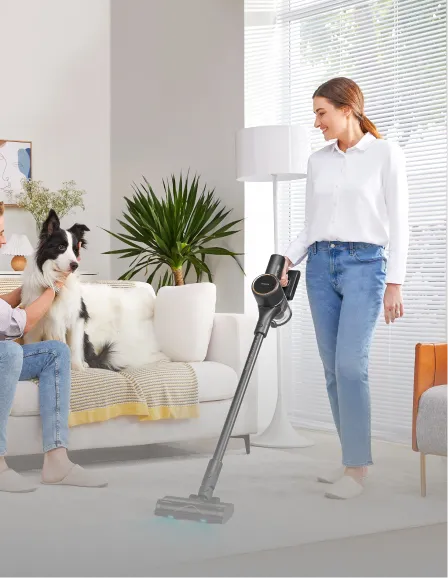
Lightweight Vacuum Cleaners for the Elderly: Clean Smart, Not Hard

Carrying around a heavy vacuum isn’t just tiring; it can be risky for older adults. Many seniors experience reduced grip strength, limited mobility, or balance concerns, making traditional bulky vacuums a real challenge. That’s where lightweight vacuum cleaners for the elderly come in. These models are designed to be easy to carry, maneuver, and operate, all while delivering a powerful clean. Whether it’s keeping hardwood floors spotless or tackling pet hair on rugs, the right vacuum can make cleaning less of a chore and more of a quick, satisfying task. In this guide, we’ll explore what to look for in a senior-friendly vacuum, compare Dreame’s best cordless and robot options, share safety tips, and answer common questions so you can choose with confidence. Choosing a Vacuum That Makes Cleaning Easier for Seniors Finding the best lightweight vacuum cleaner for elderly users isn’t just about picking the lightest model. It’s about matching the machine to the user’s needs, comfort, and home environment. Here are the key factors that seniors should consider: What’s the Ideal Weight for Elderly Vacuums? For most seniors, vacuums under 6.6 lbs (3 kg) are easiest to handle. Dreame’s cordless stick vacuums, like the Dreame R10 Pure, weigh about 3.7 lbs (1.7 kg), making them light enough for one-handed use while still packing strong suction. For users who also need wet-dry floor care on sealed surfaces, a lightweight wet dry vacuum with smooth handling can reduce the need to switch between vacuuming and mopping tools. Robot vacuums are even lighter in terms of effort, since you don’t lift them at all; they’re perfect for seniors who want cleaning done without physical strain. Look for Simple Controls and Comfortable Grips Complicated settings can frustrate anyone, especially if fine motor skills aren’t what they used to be. One-button starts and intuitive controls make a big difference. The Dreame L40 Ultra has app-based controls for scheduling, plus a physical start button for quick use. Soft, ergonomic handles on cordless models also help reduce hand fatigue. Don’t Forget Easy Bin Emptying and Maintenance No one wants to wrestle with a dustbin latch or fiddle with filters. Look for: One-touch dustbin release Washable HEPA filters (saves money and hassle) Minimal disassembly for cleaning The Dreame R20 Pure features a quick-release bin and fully washable filters—keeping maintenance simple. Avoid These Mistakes When Choosing a Vacuum for the Elderly Even the lightest vacuum can be a bad fit if you overlook key usability factors. Ignoring Weight Distribution A vacuum may be light overall but feel heavier if the weight isn’t balanced. Cordless stick vacuums with motors near the handle often reduce wrist strain. Overlooking Runtime and Charging Time Cordless is great—until it dies mid-clean. Aim for 40–60 minutes of runtime for most homes. Dreame’s R20 Pure offers up to 90 minutes, covering larger spaces in one go. Skipping the Test on Handle Comfort The handle shape can make or break usability. If possible, test the grip to ensure it feels natural and won’t cause hand cramps during longer sessions. Robot Vacuum or Cordless Stick Vacuum: Which Is Better? Choosing between a robot and a cordless stick vacuum depends on your space, surfaces, and cleaning style. Small Apartments vs. Large Homes Small spaces: A compact stick vacuum like the Dreame R10 Pure or a small robot vacuum like the Dreame L40 Ultra is perfect. Large floor plans: Go for high-battery models like the Dreame R20 Pure or robot vacuums with advanced navigation for open layouts. Pro-tip If you live in a compact home, a robot vacuum designed for tight spaces can save you time and energy. Check out our blog on Robot Vacuums for Small Spaces and Tight Layouts: Are They Worth It? for practical advice and model recommendations. Carpet, Hardwood, or Mixed Surfaces? Different floor types need different brush heads for the best clean. To help you choose the right match, refer to the table below: Floor Type Best Brush Type Recommended Dreame Models Hardwood & Tile Soft roller R10 Pure, R20 Pure Low-pile Carpet Motorized bristle brush R20 Pure, L40 Ultra Mixed Surfaces Multi-surface head X40 Master, L20 Ultra Light Surface Cleaning or Detailed Deep Cleaning? Robot vacuums handle daily dust well, but cordless vacuums are better for furniture, stairs, and curtains. For example: Everyday upkeep: Dreame L40 Ultra robot vacuum Detailed deep clean: Dreame R20 Pure cordless stick vacuum Dreame Take Many homes benefit from having both a robot and a cordless stick vacuum. Let the robot handle day-to-day floor cleaning while the cordless model takes care of stairs, furniture, and quick touch-ups. This combo delivers a cleaner home with less effort. Quick Comparison Table: Choose the Best Fit If you’re still deciding which vacuum style works best for you, this quick side-by-side breakdown makes it easier to compare features, weight, and ideal use cases: Feature Dreame R10 Pure Dreame R20 Pure Dreame L40 Ultra Weight 3.64 lbs (1.65 kg) 3.75 lbs (1.7 kg) N/A (robot) Runtime 60 min 90 min 194 min + auto-charging Floor Types Hard, low carpet Hard, mixed All Best For Small homes Large homes Hands-free cleaning Bonus Tips to Make Cleaning Safer and Less Straining Even with the best lightweight vacuum, small changes in cleaning habits can make a big difference for seniors. The goal is to make cleaning as easy, safe, and efficient as possible without unnecessary bending, lifting, or fatigue. Here are some simple yet effective ways to do it: Store tools at waist height to avoid crouching. Keep your vacuum, attachments, and cleaning products on an accessible shelf or in a lightweight rolling cart. Use lightweight cordless vacuums for quick daily sweeps instead of waiting for a big weekly clean-up. Smaller, regular sessions keep dirt from building up and make the job faster. Break cleaning into 10–15 minute sessions instead of doing the whole house at once. This helps prevent overexertion and reduces the risk of strain or dizziness. Use proper posture when vacuuming—stand tall, keep your back straight, and move with your legs instead of hunching over. Choose the right attachments so you’re not overreaching or lifting unnecessarily. For example, use an extension wand for ceiling corners or a motorized mini-brush for stairs. Schedule cleaning for well-lit times of day to reduce the chance of tripping or missing spots. Let the robot vacuum handle repetitive tasks like daily floor dusting. That way, you only step in for spot cleaning or hard-to-reach areas. Pro-tip If you’re curious about other vacuum styles, our blog on The Pros and Cons of Upright Vacuum Cleaners: Is It Worth It in 2025? explains how uprights compare to lightweight and cordless models for ease of use. FAQs: What Seniors and Caregivers Ask Most Q: What is the best vacuum cleaner for senior citizens? A: Consider models like the Dreame R10 Pure and L40 Ultra are lightweight, easy to control, and require minimal maintenance. Q: What is the ideal vacuum weight for elderly users? A: Around 6.6 lbs (3 kg) or less for cordless models; robot vacuums require no lifting. Q: Are cordless vacuums better for elderly users? A: Yes, for most. They eliminate cords, reduce tripping hazards, and are easier to maneuver. Q: Can robot vacuums replace upright models? A: For daily maintenance, yes. But for deep cleaning, cordless stick vacuums are still necessary. Q: Are self-emptying robot vacuums worth it for seniors? A: Absolutely! Models with self-emptying bases (like the Dreame X50 Ultra) mean less bending and maintenance. For a full cost-benefit analysis, check out: Are Self-Emptying Robot Vacuums Really Worth It? Final Thoughts: Help Seniors Clean with Confidence, Not Strain The right vacuum can mean the difference between a tiring chore and an easy, satisfying routine. Whether it’s a lightweight cordless model for quick cleanups, a robot vacuum for hands-off daily cleaning, or a self-emptying model to minimize maintenance, the goal is simple: make cleaning effortless. Dreame’s range combines powerful cleaning with user-friendly design. The vacuums are designed with real people in mind, prioritizing easy-to-use controls, ergonomic designs, and smart features that actually help. Ready to find the perfect vacuum? 👉 For small spaces: Try the Dreame R10 Pure (quiet, slim, and worry-free)👉 For large homes: The Dreame R20 Pure (60+ mins runtime, powerful suction)👉 For zero bending: The Dreame L20 Ultra (self-emptying + mopping) Still unsure? Chat with our experts for personalized advice. Because every home—and every senior—deserves the right cleaning partner.    
Read full article: Lightweight Vacuum Cleaners for the Elderly: Clean Smart, Not Hard

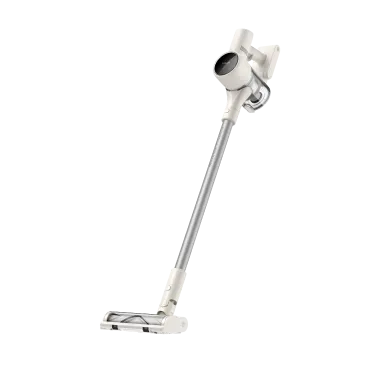
Budget Robot Vacuum vs. High-End Robot Vacuum: Which Is Best for You?

Many people assume that a high price tag guarantees cleaner floors. But that’s not always the case. What actually separates a budget robot vacuum from a high-end robot vacuum isn’t just the cost; it’s the combination of features, automation, and how well it fits your daily cleaning habits. In fact, you might find that a premium experience doesn’t have to come with a premium price. Let’s explore what you can expect from each option and help you find the best match for your home and lifestyle. Budget Robot Vacuums: What You Can Expect A budget robot vacuum usually falls within the $100–$300 range. These models tend to focus on the basics: vacuuming, spot cleaning, and simple scheduling via remote or app. Core Features of Budget Robot Vacuums: Basic bump-and-go navigation Moderate suction (1,500–2,500 Pa) Single-mode cleaning Smaller dustbin capacity Occasional mop function (wet cloth drag type) Limited app control or voice assistant support Manual emptying Lower-profile base stations Best For: Small apartments (under 1,000 ft²/93 m²) Budget-conscious households First-time users or those who prefer simplicity over tech-heavy features Pros Affordable entry price Compact and simple to use Works for light, routine messes Good for daily maintenance Cons Limited smart features Often lacks powerful suction No advanced mapping or zoning features Random navigation can miss spots Dreame Take If you’re looking for a solid entry-level option, the Dreame D9 Max Gen 2 Robot Vacuum offers strong suction, powerful carpet cleaning, and smart navigation at a budget-friendly price. High-End Robot Vacuums: Are They Worth the Hype? At the other end of the spectrum, high-end robot vacuums typically range from $600 to over $1,500. These machines are built for automation lovers, large homes, big family, and people who want a “set it and forget it” experience. Common Features in High-End Models: AI or LiDAR navigation with smart mapping Suction power above 5,000 Pa Self-emptying dustbins and mop-washing stations Customizable cleaning zones and schedules Obstacle avoidance with 3D or AI cameras Carpet detection and suction boost App integration with multi-floor mapping Voice assistant support (Alexa, Google Assistant) Anti-tangle brushrolls and HEPA filtration Premium Use Cases: Homes with pets or allergy concerns Multi-level layouts Tech-savvy users People who dislike daily maintenance Pros Fully automated cleaning Self-emptying and auto-recharge Ideal for multi-surface homes Great for pet hair and thick carpets Cons Higher upfront cost More complex setup Bulkier size and charging dock May require stronger Wi-Fi signal Pro-tip  If you want top-tier performance, the Dreame X50 Ultra combines LiDAR navigation, auto-mopping, and 20,000 Pa suction, making it ideal for luxury homes. Budget vs. High-End Robot Vacuums: Feature-by-Feature Breakdown To make your choice easier, let’s break down the key differences. We’ll use a general comparison of Dreame’s D Series (budget) vs. X Series (high-end). 1. Navigation System Let’s start with how each vacuum finds its way around your home. Budget: Infrared or bump sensors (random path) High-End: LiDAR or AI camera systems (precise mapping) 2. Suction Power Budget: 1,500–2,500 Pa High-End: 5,000–up to over 20,000 Pa 3. Mop Functionality Can it mop, and if so, how well? Budget: Basic cloth drag High-End: Active mopping with vibration or water control 4. Obstacle and Edge Detection How does the vacuum handle furniture, cords, and walls? Budget: Limited; may bump into objects High-End: AI obstacle avoidance and edge tracking 5. HEPA Filters Is it effective for allergies and fine dust? Budget: Standard filter (may not capture allergens) High-End: True HEPA for allergen control 6. Anti-Tangle Tech Does it deal well with long hair and pet fur? Budget: Basic brushroll High-End: Advanced brush design, pet hair resistant 7. Smart Features How connected and customizable is the experience? Budget: App control may be limited High-End: Voice control, app zoning, and smart scheduling 8. Battery Life & Auto-Recharge How long does it run, and can it return to charge itself? Budget: 60–90 minutes; some models lack recharge-and-resume High-End: 180+ minutes, auto recharge and resume Feature Budget Models High-End Models Runtime 60–90 minutes 180–210 minutes Recharge & Resume Not always supported Standard on most models Base Station Battery Dock Basic plug-in chargers Smart dock with self-charging capability 9. Build Quality & Design What’s the physical feel and durability like? Budget: Simple plastic build High-End: Sleek, durable designs with refined finishes 10. Carpet & Rug Performance How well does it clean soft flooring? Budget: Moderate, may skip thick rugs High-End: Excellent deep cleaning with auto carpet boost and mop lifting 11. Hard Floor Performance Can it handle wood, vinyl, or laminate efficiently? Budget: Good on smooth surfaces High-End: Outstanding, with mop and vacuum modes 12. Smart Zoning & No-Go Zones Can you control exactly where it cleans? Budget: Often missing High-End: Fully customizable zones, multi-floor mapping 13. Noise Levels How loud is it during operation? Budget: Louder motors (~65–70 dB) High-End: Quieter operation (~55–60 dB) 14. Tank Size & Self-Emptying Does it need frequent emptying? Budget: Small dustbins, no auto-empty High-End: Self-empty base with large capacity 15. Size & Base Station How much space does the vacuum and its dock take up? Budget: Compact size, small dock High-End: Larger robot and intelligent base 16. Maintenance How often do you need to clean the mop and brush? Budget: Daily maintenance High-End: Self-drying with hot air after every clean  For a deeper dive into how to pick out the right robot vacuum, check out our guide: How to Choose the Best Robot Vacuum for Your Home. Which Robot Vacuum Fits Your Home and Lifestyle? Not sure which one’s right for you? Use this quick checklist to figure out which robot vacuum category suits your home and cleaning preferences: You May Want a Budget Model If You... Live in a small apartment Want a backup vacuum for light messes Prefer manual control over automation Are looking for the “best budget robot vacuum with self-empty or mop under $300.” Consider High-End If You... Have pets, allergies, or long hair Need deep cleaning on thick carpets or multiple floors Want a fully automated system Hate emptying bins or cleaning brushes Dreame Picks to Match Your Needs Best for Apartments: Dreame D10 Plus—affordable, with self-empty and app control, perfect for daily low-effort cleaning. It’s ideal for renters or students who want scheduled cleaning and large bin capacity without breaking the bank. Best for Luxury Homes: Dreame X40 Ultra—AI navigation, edge cleaning, and real-time mapping for seamless multi-floor coverage. Best for Pet Owners: Dreame L20 Ultra—anti-tangle tech, ultrasonic carpet detection, and HEPA filter for fur-heavy floors and allergies. Are High-End Robot Vacuums Really Worth It? In many cases—yes. While they cost more upfront, high-end models pay off with saved time, cleaner floors, and fewer maintenance headaches. You don’t need the most expensive robot vacuum and mop to get quality. But if convenience, automation, and performance matter to you, a high-end model is worth the investment. Need more help picking the right vacuum? Read: Are Self-Emptying and Self-Cleaning Robot Vacuums Really Worth It? Robot Vacuum Reviews: What Users Love (and What They Wish They Knew First) FAQs Q: Are expensive robot vacuums really worth it? A: Yes, especially for pet owners, large homes, or those wanting full automation. Q: What’s the best robot vacuum for a tight budget? A: Consider the Dreame D9 Max or D10 Plus for smart features at a fair price. Q: Do budget vacuums have a mop and obstacle avoidance? A: Some do, but basic. Look for models labeled as the “best budget robot vacuum with mop and obstacle avoidance.” Q: How well do luxury vacuums handle pet hair? A: Very well. Models like the Dreame L20 Ultra have anti-tangle brushrolls and strong suction. Q: Why are robot vacuums so expensive? A: Premium models include AI navigation, self-emptying systems, multi-surface cleaning, and smart home integration. The most expensive robot vacuum can exceed $1,500. Q: How long do they last? What’s the upkeep cost? A: On average, 5–7 years. Filters, brushes, and mop pads need replacement every few months depending on use. Final Thoughts You don’t have to spend a fortune to get clean floors, but you also shouldn’t sacrifice convenience if your lifestyle calls for more. Whether you choose a reliable budget robot vacuum or a feature-packed high-end robot vacuum, Dreame has a solution for you. Need more help? Check out our Robot Vacuum Buying Guide for an in-depth breakdown of features and recommendations.    
Read full article: Budget Robot Vacuum vs. High-End Robot Vacuum: Which Is Best for You?

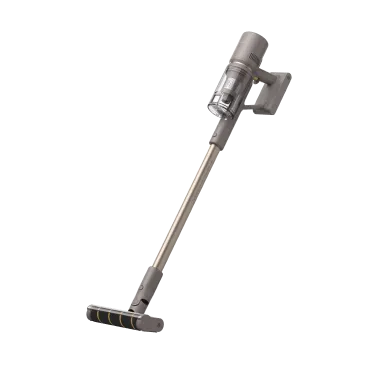
How to Clean Floor Rugs: Step-by-Step for Every Rug Type and Mess

If you're searching for how to clean floor rugs without damage, you’re not alone. Rugs collect dust, carry allergens, and can stain quickly, and many people don’t know which cleaning method is safe for which material. Over time, they can also start to feel grimy, sticky, or even give off unpleasant odors, making you think twice about lying down, letting kids crawl, or doing yoga on them. A dirty rug not only affects the look of a room, it can also make the entire space feel less inviting and less hygienic. With the right knowledge and a few smart habits, you can keep your rugs fresh, comfortable, and safe for every activity in your home. This guide explains how to clean rugs based on fabric, gives a clear step-by-step routine, highlights common cleaning mistakes, and recommends tools that help, including top Dreame vacuums.  Know Your Rug: Why Material Matters Before You Clean Understanding your rug’s material not only helps protect it, but also keeps it comfortable for everyday living. A clean rug means a safer surface for kids to play, pets to nap, and you to relax on without worry. Wool Rugs – Durable and cozy, but sensitive to heat and water. Use low suction on the vacuum and blot spills with cool water and mild detergent. No steam cleaning or wringing. Synthetic Rugs – Made of polypropylene or nylon. Easy to clean and ideal for busy homes. Safe for vacuuming, occasional wet cleaning, and light mopping. Cotton Rugs – Casual and sometimes machine-washable. Check care labels. Use a mesh bag and gentle cycle if doing laundry, and air-dry flat to prevent stretching. Delicate or Antique Rugs – Silk, vintage, or handmade require gentle handling. Vacuum with low suction, ideally with a nylon screen over the fibers, and leave deeper cleaning to professionals. Each rug type has its own care requirements, and choosing the right approach will help keep it both beautiful and hygienic for years. Step-by-Step: How to Clean Floor Rugs Safely at Home Follow these four essential steps to clean any rug safely: Shake It Out and Pre-VacuumShake small rugs outside to remove loose dirt. Vacuum both sides of large rugs. Disable the beater bar on high-pile rugs to prevent fiber damage. Spot-Clean Fresh Stains QuicklyBlot (don’t scrub!) spills with a clean cloth. Use a mix of white vinegar and water for most stains. For oily spots, sprinkle baking soda, let sit for 10 minutes, then blot with mild soap. Always test in an unseen spot first. Deep Clean Based on Rug Type Synthetic rugs – Use a wet/dry vacuum with rug shampoo; rinse with cool water. Wool and cotton – Clean small sections gently with a damp sponge; blot dry. Natural fiber (jute, sisal) – Never soak. Vacuum often, spot-clean with a damp cloth. Rinse and Dry ThoroughlyRemove all soap residue, lay rugs flat to dry, and use fans or sunlight to help. Avoid hanging wet rugs because they can warp. If you’re short on space, check out this guide on whether a robot vacuum is worth it for small homes to see how it can make cleaning easier. 5 Mistakes That Damage Rugs (And How to Avoid Them) Prevent common cleaning missteps with these smart, easy-to-remember guidelines that protect your rugs and keep them looking their best. Using Too Much Water – Especially on wool or cotton rugs, excess water can seep deep into the fibers, weakening the structure or causing lingering odors. Think of it like soaking a favorite sweater; it never quite goes back to the same shape. Use only as much moisture as you need and always dry thoroughly. Scrubbing Instead of Blotting – Scrubbing might feel satisfying in the moment, but it pushes stains deeper and frays delicate fibers. Blot gently, as if you’re coaxing the spill away, not forcing it in. Ignoring Rug Labels – Care tags are like little instruction manuals sewn into your rug. Following them means fewer surprises, fewer accidents, and a rug that lasts for years. Using the Wrong Vacuum Attachment – Stiff brushes or too much suction can pull at delicate fibers, especially in high-pile or antique rugs. Think of your rug like fine clothing, it deserves a gentler touch. Waiting Too Long to Treat Stains – The longer a spill sits, the harder it is to remove. Keeping a small “rug rescue kit” with a cloth, vinegar, and baking soda nearby can save the day (and your rug) when life’s little messes happen. Choose the Right Cleaning Tools for Your Rug Type Rug Type Tools You Need Best Dreame Model Why It Works Wool Vacuum with soft roller, microfiber cloth Dreame Z30 Cordless Stick Vacuum Adjustable suction and a soft roller protect fibers while removing embedded dust and debris. Synthetic Multi-surface vacuum, gentle cleaning pads Dreame R10 Pure Lightweight, powerful, and safe for regular vacuuming plus light wet cleaning. Cotton Vacuum with mop function, absorbent towels Dreame H14 Pro Wet & Dry Vacuum Combines vacuuming and gentle mopping without oversaturating, preserving the rug’s structure. Natural Fiber Vacuum with handheld nozzle, soft dust brush Dreame L50 Ultra Robot Vacuum Cleans debris from open weaves while avoiding moisture that can damage natural fibers. Delicate/Antique Low-suction vacuum, protective mesh cover Dreame L40s Ultra Robot Vacuum Gentle navigation and adjustable suction protect fragile rugs between professional cleanings. Plus, Dreame’s cordless vacuums like the Z30 and R10 Pure include LED lights for hidden dust, while the H15 ProHeat wet/dry model gives you heated and soap-assisted cleaning when needed. Need ideas for choosing the right cleaner? Read our guide to effective carpet cleaning solutions for 2025. Maintenance Tips to Keep Floor Rugs Fresh Longer Vacuum high-traffic rugs 2–3 times weekly. Areas like the living room or hallway see the most action, so giving them a quick once-over keeps dirt from embedding deep in the fibers. A few minutes of upkeep now saves hours of scrubbing later. Set your robot vacuum on a daily schedule to prevent dust buildup. It’s like having a quiet little helper working in the background while you enjoy your morning coffee or help the kids with homework. By the time you look down, the floor’s already clean. Blot stains immediately with vinegar and water. The faster you act, the less chance that spilled juice or coffee will become a permanent reminder. Keep a small “spill kit” in the kitchen so you’re always ready for accidents. Wash washable HEPA filters regularly to keep suction strong. Think of it as giving your vacuum a deep breath of fresh air. It’ll work harder for you when it’s clean. Research shows that simply walking on a rug can release fine particles into the air, potentially impacting respiratory health, which is why regular cleaning with a HEPA-filter vacuum is so important. Rotate rugs every few months to even out wear. Sunlight, pets, and foot traffic can leave one side looking tired. A simple turn helps your rug age gracefully and stay vibrant for years, just like rearranging the furniture can refresh a whole room. Looking for quick carpet-care ideas? Try our blog post, Show Your Carpets Some Love with These Cleaning Hacks. FAQs: Cleaning Rugs Without Damage How often should I vacuum floor rugs? Twice a week works for most, but high-traffic or pet-friendly homes may need daily-robot use. Are robot vacuums good for rugs? Yes. Models like the L50 Ultra and L40s Ultra adapt suction and transition from hard floors to rugs effectively. Learn more in our article Can Robot Vacuum Clean Carpets?. Which Dreame vacuum is best for rug cleaning? For manual deep cleaning, try the Z30. For automatic upkeep, use the L50 Ultra, and for tough stain cleanup, go with the H15 ProHeat. Can I machine-wash my rug? If the tag indicates machine-washable, go ahead, use cold water and air-dry flat. But avoid washing wool, silk, or antique rugs. Conclusion: Rug Cleaning Doesn’t Have to Be a Chore A clean rug is more than just a style choice; it’s the foundation for a healthy, comfortable home. It’s where your baby takes those first wobbly crawls, where your kids sprawl out with popcorn for movie night, and where you roll out a yoga mat to unwind after a long day. When your rugs are fresh and well cared for, every moment spent on them feels better. With the right Dreame vacuum, you can keep your rugs soft, spotless, and allergen-free without sacrificing hours of your time. These tools quietly handle dust, crumbs, and pet hair, leaving you with floors that are safe and inviting for every barefoot step. Make rug cleaning part of the comfort, not the chore. Explore the Dreame robot vacuum collection and find the one that fits your home, your lifestyle, and all the memories made right on the living room floor. Master the Art of Floor Care How to clean hardwood floors How to clean wood floors How to Clean and Mop Tile Floors How to Clean Laminate Floors How to Clean Marble Floors How to Clean Grout on Tile Floor How to Clean Linoleum Floors Choosing Floor Cleaning Solution  
Read full article: How to Clean Floor Rugs: Step-by-Step for Every Rug Type and Mess

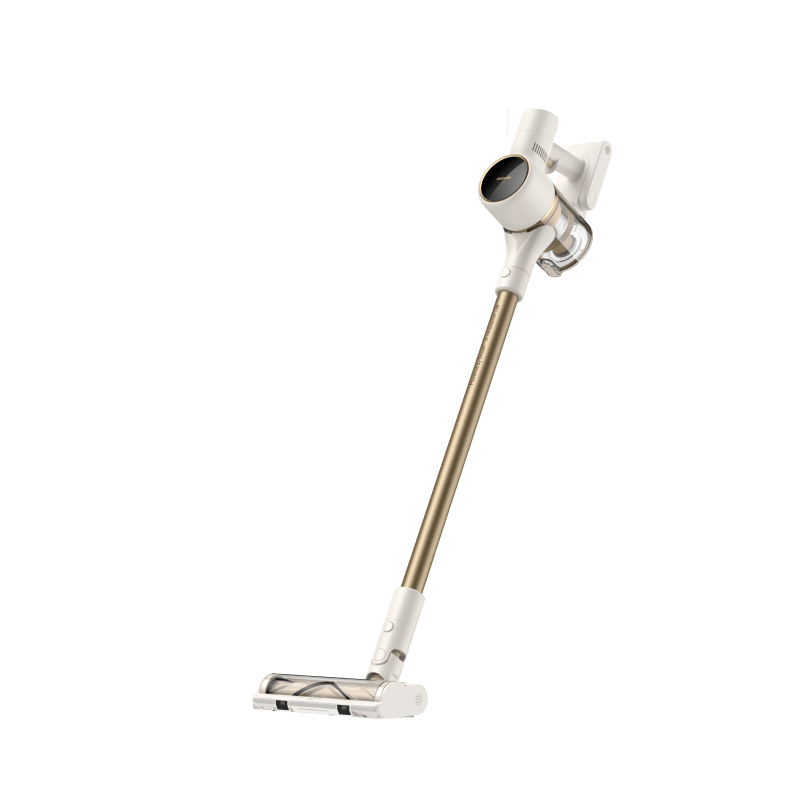
Robot Vacuum and Mop or Without Mop: Which One Is Worth It?

With the growing number of smart cleaning gadgets on the market today, choosing between a robot vacuum with a mop and one without can feel overwhelming. Will the mop function leave streaks? Is it worth the extra cost? And what if the home has mixed flooring? If you’ve been asking yourself whether a vacuum-only model option is the better fit for your home or if the extra mopping feature is worth it, you're not alone. This guide cuts through the confusion. We’ll compare cleaning performance, maintenance, and smart features so you can pick the perfect floor cleaner for your floors, suiting your space and lifestyle. What Is a Robot Vacuum and Mop Combo? Robot vacuum and mop combos are designed to tackle both dry debris and light wet messes in one go. These dual-purpose devices vacuum up dirt and dust, then use a water reservoir and microfiber pads to mop your hard floors. They’re ideal for busy homes with kids, pets, or high-traffic areas. Many newer models, like the Dreame X50 Ultra, come with intelligent features such as auto-lifting mop pads that rise when moving onto carpet. That means you don’t have to worry about soggy rugs. Robot vacuum and mop combos are also compatible with most hard flooring types, including: Hardwood Tile Vinyl plank Laminate Robot mop combos are especially effective in open-plan homes, where large swaths of hard flooring can benefit from one-pass vacuuming and mopping. Their ability to reduce allergens by picking up fine dust and dander makes them a smart choice for allergy-sensitive households as well. Pro-tip If you spill coffee or have pet accidents often, a combo like the Dreame L10s Pro lets you tackle sticky messes hands-free. What Is a Vacuum-Only Robot? Vacuum-only robots skip the mopping feature altogether. Their single focus is suction, which means they often excel in debris pickup, especially on carpeted surfaces. These models are typically easier to maintain, with fewer moving parts, and are ideal if your home doesn’t need wet mopping or has mostly rugs. Some pros of vacuum-only robots include: Lower risk of leaking water or streaking Less maintenance (no pads or water tanks to refill) Often longer battery life In homes with multiple pets, vacuum-only models often outperform their mopping counterparts when it comes to hair pickup. Their focus on suction power means fewer clogs and better long-term reliability. Robot Vacuum and Mop vs. No Mop: Side-by-Side Comparison Let’s take a closer look at how these two types stack up across key performance categories. Cleaning Efficiency Feature Vacuum and Mop Combo Vacuum-Only Robot Dirt Pickup Good on all hard floors and rugs (if mops lift) Excellent on carpets and hard floors Stain Removal Can handle light spills and dried spots Not applicable Carpet Cleaning Limited (some avoid carpets during mopping) Optimized for deep carpet suction Mopping Scrubs and sanitizes Not applicable Pro-tip If your main concern is carpet cleaning, go for a vacuum-only model. For mixed surfaces with sticky messes, a mop combo will serve better. Cost and Maintenance Aspect Vacuum and Mop Combo Vacuum Only Robot Initial Cost Usually higher Often more budget-friendly Upkeep Pads, water tank cleaning, solution refills Just empty the bin and clean filters Downtime Risk Higher (more features, more that can go wrong) Lower (simpler build) Dreame Take We’ve designed models like the Dreame X50 Ultra to minimize upkeep with features like automatic mop washing and self-drying pads, removing much of the hassle typically associated with robot mops. Important If you live in a humid area or use your robot frequently, mopping pads should be cleaned or replaced often to prevent odor buildup and bacteria growth. Choosing a model with auto-cleaning and drying can greatly extend the system’s lifespan. Battery Life While both types offer decent runtime, vacuum-only robots tend to last a bit longer on a single charge because they’re not powering water release systems or mop pad motors. Here’s a quick comparison of average runtimes and key factors: Robot Type Average Runtime Factors That Affect Performance Vacuum-Only Robot 150–180 minutes Suction level, carpet density, room size Vacuum and Mop Combo 100–150 minutes Mop activity, water usage, cleaning mode, pad lifting Also, combo units may return to their dock more often to refill or clean their mop pads, which can reduce total cleaning time on a single cycle. Pro-tip The Dreame L20 Ultra offers intelligent battery management and can recharge and resume cleaning large spaces automatically, making it perfect for homes over 2,500 ft² (232 m²). Smart Features and Reliability Both categories can come with features like: LiDAR or AI navigation App controls Zone cleaning Voice assistant support However, combo robots are usually more advanced in automation, offering features like: Mop pad auto-lift on carpets Obstacle recognition Self-cleaning mop stations Robot mop combos are ideal for those who want a fully automated experience. Paired with virtual boundaries, customizable cleaning zones, and multi-floor mapping, they can clean while you’re out and sync with your home’s smart ecosystem. Newer Dreame models even use AI-powered cameras and 3D obstacle detection to recognize common household items, like cables, shoes, or pet bowls, and navigate around them with precision. Which Is Best for Your Floor Type? Not sure which one fits your home? Use this quick guide: Floor Type Recommended Type Why Hardwood Vacuum and mop combo Removes dust and sticky spills Tile Vacuum and mop combo Mops up grime between grout lines Vinyl/Laminate Vacuum and mop combo Gentle mopping suitable for surface care Carpet/Rugs Vacuum-only robot Deeper suction, no risk of moisture Mixed Surfaces Combo with mop-lift feature Versatile and adaptive Decision Checklist: Do You Need a Mop Function? Here’s a quick checklist to help you decide: Mostly have carpet? → Go vacuum-only Have kids or pets spilling regularly? → Go with mop combo Live in a smaller space with mostly tile or vinyl? → Mop combo can save you time Want fewer parts to clean? → Vacuum-only wins Want fully automated cleaning (mop washing, lifting)? → Look for advanced combo models like the Dreame L20 Ultra Think about your cleaning priorities—are you chasing after crumbs or constantly wiping up muddy paw prints? If it’s both, go hybrid. If not, simplicity wins. FAQs Q: Are robot vacuum mops worth it? A: Yes, especially if you live in a home with hard floors and frequent light messes. Many users actively use the mopping function daily. Q: How to attach a mop to the robot vacuum? A: Refer to the user manual. Generally, mop pads Velcro onto a removable bracket that clips into the bottom. Q: Can a robot mop be used on vinyl or laminate floors? A: Yes, just ensure it has adjustable water flow to avoid over-wetting sensitive surfaces. Q: How to choose a robot vacuum and mop? A: Consider floor type, cleaning needs, and desired automation level. Also, check for mop-lifting and self-cleaning features. Q: How often do you need to maintain the mop system? A: Ideally after every 2–3 cleanings. Rinse pads and top up the water tank. Some Dreame models automate this process. Q: Does mopping affect navigation or climbing over thresholds? A: It can, but mop-lift models minimize this issue. Advanced Dreame models navigate thresholds well even in mop mode. What Is the Best Robot Vacuum for You? Still unsure? Start with our Robot Vacuum Buying Guide for help picking the right type based on your lifestyle and home size. Or compare the Dreame L10s Ultra (combo) and Dreame D9 Max. And don’t miss these other helpful reads: Are Robot Floor Cleaners Worth It in 2025? 5 Innovative Home Robots That Will Transform Your Daily Routine Final Thoughts When it comes to robot vacuums without mops vs. combo models, the right choice depends on your floor types, cleaning habits, and how hands-free you want to be. If you just need solid suction with minimal fuss, a vacuum-only robot will serve you well. But if you’re aiming for a truly hands-off clean across hard floors, a mop combo, especially one with auto-cleaning features, might just be your new best friend. Explore our full lineup of robot floor cleaners to find your perfect match!    
Read full article: Robot Vacuum and Mop or Without Mop: Which One Is Worth It?




