















 Smart Door Lock


 Indoor Camera





 Australia
 中国大陆
中国大陆 日本
日本


 Türkiye



 Italia
 Netherlands
 Belgium
 Greece
 Polska
 Norway
 Sweden
 Finland
 Denmark
 Hungary
 Czechia
 Slovenia
 Croatia
 Switzerland
 United Kingdom
 Belarus
 Georgia
 Canada

 Colombia


Support for Aero Pro
Manuals&Downloads
Support Videos
Aero Pro Complete Guide on How to Use
FAQ

Live Chat

Email Us

Make a Call
Find answers to the questions you may have:
You can press the mode switch button on the handle to cycle through the following modes.
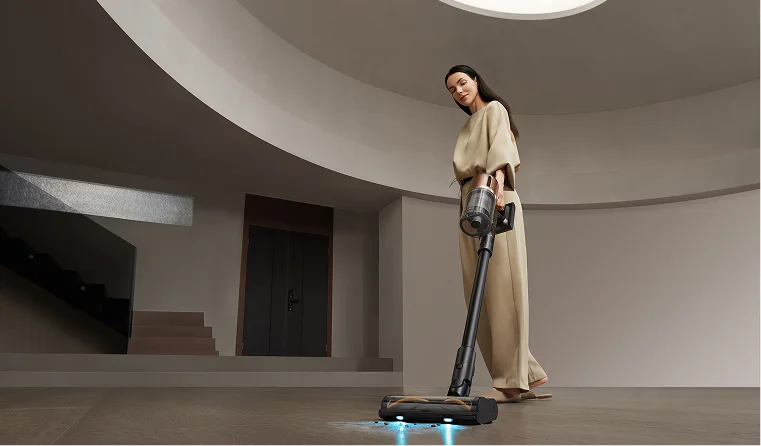
Smart Mode: Automatically detects floor dirtiness and adjusts suction power & water flow.
Turbo Mode: Maximum power and water flow, ideal for stubborn dirt.
Quiet Mode: Low energy consumption and quiet operation, suitable for light debris.
Suction Mode: Dry vacuuming only. Could be used on carpet/rugs.
Smart Mode: Automatically detects floor dirtiness and adjusts suction power & water flow.
Turbo Mode: Maximum power and water flow, ideal for stubborn dirt.
Quiet Mode: Low energy consumption and quiet operation, suitable for light debris.
Suction Mode: Dry vacuuming only. Could be used on carpet/rugs.
Smart / Turbo / Quiet Mode: Used on sealed hard floors such as wood, laminate, tile, marble, concrete etc. In these modes, the machine will spray water to the brush roller, mop & vacuum at the same time.
Suction Mode: Used on carpet, rugs. In this mode the machine only dry vacuum without spraying water.
Suction Mode: Used on carpet, rugs. In this mode the machine only dry vacuum without spraying water.
-Please check whether the machine is docked in the charge station properly.
-Please check whether the power cable is connected to the machine properly.
-Please check whether the power cable is connected to the machine properly.
Hit the self-clean button on the top of the handle to initiate a self-cleaning cycle.
Before the self-cleaning started, you could single press the button to switch between Deep Mode and Rapid Mode.
-Deep Mode: 7min self-wash + 30min quiet self-drying.
-Rapid Mode: 7min self-wash + 5min rapid self-drying
Before the self-cleaning started, you could single press the button to switch between Deep Mode and Rapid Mode.
-Deep Mode: 7min self-wash + 30min quiet self-drying.
-Rapid Mode: 7min self-wash + 5min rapid self-drying
1. Complete a Full Self-Cleaning Cycle
-Please complete the self-cleaning and self-drying cycle.
-Dump and clean the dirty water tank completely.
2. Wash or Change the Filter in the Used Tank Cover
-Rinse and clean the old filter with fresh water. Make sure it's dry before put back to the tank cover.
-If it still has ordors, take out the filter and replace with a new filter. You could purchase filters separately from Dreame official website or Amazon store.
-Please complete the self-cleaning and self-drying cycle.
-Dump and clean the dirty water tank completely.
2. Wash or Change the Filter in the Used Tank Cover
-Rinse and clean the old filter with fresh water. Make sure it's dry before put back to the tank cover.
-If it still has ordors, take out the filter and replace with a new filter. You could purchase filters separately from Dreame official website or Amazon store.
The standard warranty period for Aero Pro is 2 years from the purchasing date.
You could register your machine to get a 6 months extended warranty.
You could register your machine to get a 6 months extended warranty.
It's recommended to replace the brush roller and filter every 6 months.